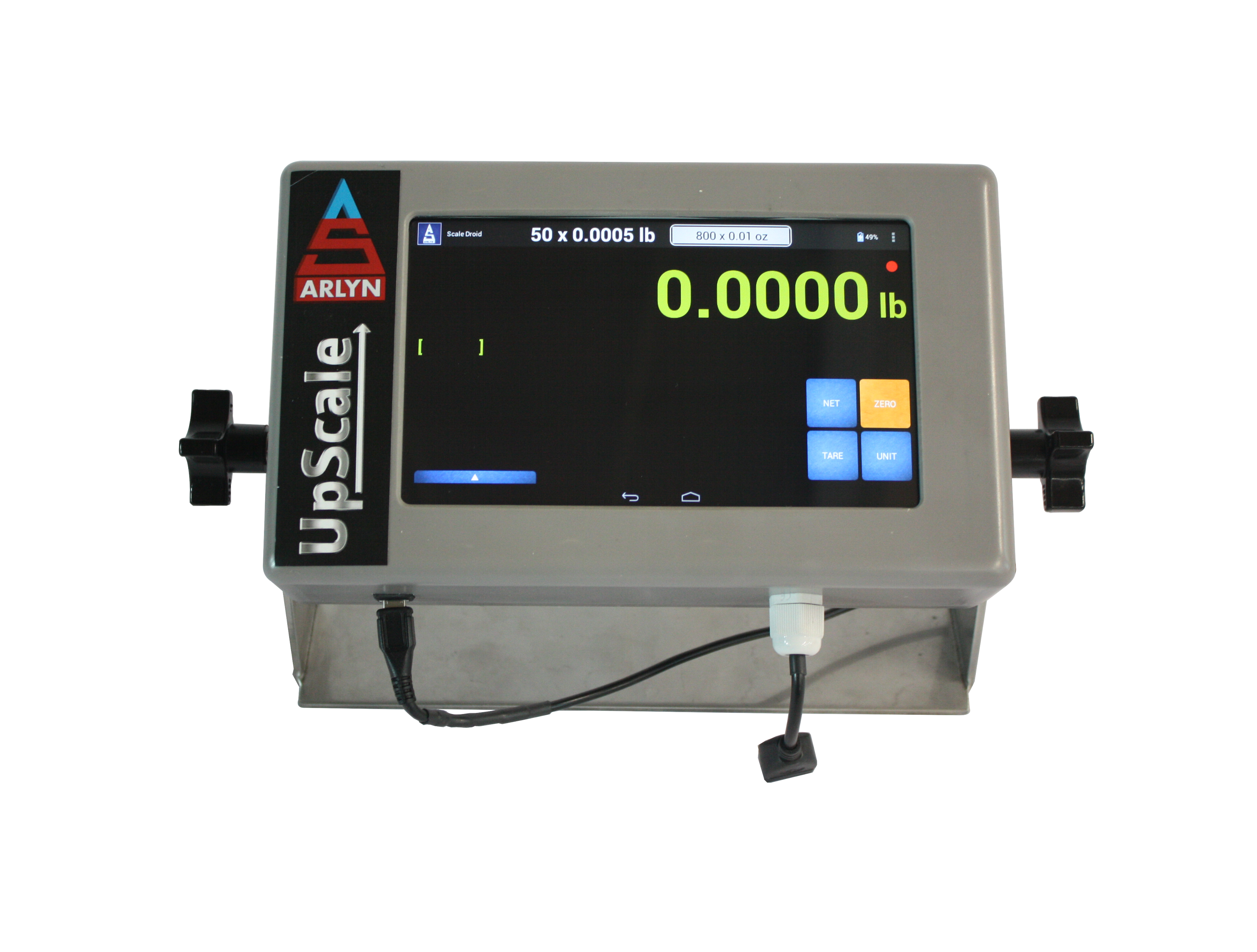
An industrial scale can do much more than display weight. The correct upgrades can send readings to a computer, record production data, communicate with a PLC, control filling equipment, print labels, monitor inventory remotely, or operate where standard power and enclosure arrangements are unsuitable.
The best time to select these options is before ordering the scale. Some upgrades require a specific indicator, internal electronics, output connector, safety barrier, enclosure, or factory configuration. Identifying the workflow early helps Arlyn Scales equip the system correctly and avoids unnecessary retrofitting.
Quick answer: Choose scale upgrades according to what must happen after the weight appears. If an employee only needs to read the display, a standard MKE-5 may be sufficient. If the scale must log, transmit, analyze, print, alert, or control equipment, select the appropriate communication, software, and automation options when configuring the scale.
Start With the Job the Scale Must Perform
Do not begin by selecting ports or software names. Begin with the result you need. For example:
- Send weight to a nearby Windows computer
- Enter weight directly into shipping or business software
- Record measurements without keeping a computer beside the scale
- Share data through Google Sheets
- Monitor tanks, cylinders, or inventory remotely
- Connect the scale to a PLC
- Stop a pump or close a valve at a target weight
- Print a label, receipt, card, or barcode
- Count parts, check acceptable weight ranges, or calculate flow rate
- Operate the scale away from an electrical outlet
- Protect the indicator in wet, corrosive, or classified environments
Once the required outcome is clear, the appropriate indicator, output, software, and supporting hardware can be selected as one complete configuration.
Industrial Scale Upgrade and Option Guide
| Upgrade or Option | What It Adds | Choose It When | Compatibility or Supporting Options | Upgrade Path |
|---|---|---|---|---|
| UpScale touchscreen indicator | A seven-inch color touchscreen with advanced applications, networking, data management, and customization. | The scale needs multi-step workflows, user management, application software, Wi-Fi, APIs, or advanced logging. | Indicator upgrade. Some functions require additional purchased options. | Explore UpScale |
| USB or RS-232 computer communication | Transfers live weight data to a nearby PC, printer, terminal, or compatible application. | A local computer must receive weight readings through a direct cable. | Confirm the required cable, COM-port settings, data frame, and software behavior. | Connect a Scale to a PC |
| RS-422 or RS-485 | Serial communication suited to longer cable runs and, with RS-485, multi-device networks. | The scale is far from the controller or multiple scales must share a communication network. | The receiving equipment must support the same electrical interface, baud rate, addressing, and data format. | Compare Serial Options |
| Ethernet TCP/IP | Connects the scale to a wired local network for software access, monitoring, or data transfer. | A stable network connection is available and multiple workstations or systems need access. | Confirm network addressing, firewall rules, ports, and the required application protocol. | Review Ethernet Options |
| Wi-Fi and Web API | Provides wireless TCP/IP networking and optional HTTP REST access to scale data. | Running a network cable is impractical or internal software must retrieve weight through a web interface. | UpScale required. The API is selected with Ethernet or Wi-Fi on supported configurations. | Explore Network Integration |
| PLC and industrial protocols | Adds MODBUS RTU/ASCII, MODBUS TCP, EtherNet/IP, PROFINET, or related PLC integration. | A PLC, SCADA system, or production controller must read scale data and status information. | UpScale required for these industrial protocols. Select the matching physical output and protocol. | Compare PLC Interfaces |
| Analog output | Provides a signal such as 4–20 mA, 0–5 VDC, or 1–5 VDC proportional to weight. | Existing controllers, recorders, or process equipment accept an analog signal. | Confirm signal range, wiring method, isolation, power, calibration, and the weight-to-output mapping. | Review Analog Integration |
| USB data logging | Records weight and related fields for later export without requiring a continuously connected PC. | Operators need electronic records at a standalone or offline weighing station. | USB flash-drive export is different from USB computer communication. UpScale adds internal tables and enhanced logging functions. | Explore Data Logging |
| Google Sheets and emailed data logs | Sends logged data to a shared spreadsheet or distributes data-log files by email. | Teams need shared, remotely accessible records without manually transferring files. | UpScale, Data Logging, and Ethernet or Wi-Fi required. Google Sheets is near real time, not deterministic control. | View Google Sheets Logging |
| AxChange cloud monitoring | Provides centralized live monitoring, historical records, alerts, and multi-scale visibility. | Users must monitor inventory, tanks, cylinders, or scales from other locations. | Requires a compatible network-connected scale and AxChange configuration. | Explore AxChange |
| Setpoints, relays, and alarms | Triggers outputs when programmed weight conditions are reached. | The scale must stop filling, operate a valve, control a pump, sound an alarm, or activate a light tower. | The setpoint option generates the control signal. External equipment usually requires properly rated relays and customer-supplied power. | Explore Scale Automation |
| Printing and barcode functions | Prints weight records, receipts, labels, cards, barcodes, or QR codes and can support barcode scanning workflows. | Products, shipments, batches, or containers need a physical identification record. | Traditional printers generally require RS-232. Advanced barcode and QR workflows require UpScale and compatible printer or scanner hardware. | Review Printing Options |
| Parts counting and checkweighing | Converts batch weight into a piece count or compares weight against acceptable limits. | The operation counts similar parts or needs pass, underweight, and overweight guidance. | Counting performance depends on the relationship between scale readability and individual part weight. Advanced checkweighing requires UpScale. | Explore Parts Counting |
| Flow-rate measurement | Calculates liquid flow from the change in container weight over time and can provide related alarms. | A tank, drum, or cylinder continuously dispenses or receives material. | UpScale and Flow Rate option required. Performance depends on scale readability, flow rate, filtering, and environmental stability. | Explore Flow Rate |
| Rechargeable battery pack | Allows supported scales to operate away from an AC outlet. | The scale must be portable or used where power is unavailable or inconvenient. | Runtime varies by scale construction and installed options. Standard battery operation is not intrinsically safe. | Review Battery Options |
| Stainless-steel or NEMA enclosure | Provides additional physical and environmental protection for the indicator. | The indicator faces moisture, cleaning, corrosion, impact, or demanding industrial conditions. | Specify the required enclosure rating and exposure. An enclosure upgrade does not automatically make the complete scale intrinsically safe. | Request an Enclosure Recommendation |
Which Upgrades Commonly Work Together?
Many scale options solve only one part of a larger workflow. The following combinations provide useful starting points.
Send Weight to a Nearby Computer
Choose USB, RS-232, or RS-485 communication together with compatible PC software or a keyboard-wedge workflow. USB computer communication is different from exporting a data log to a USB flash drive.
Create Shared Online Weight Records
Choose the UpScale indicator, Data Logging, and Ethernet or Wi-Fi. This combination can support Google Sheets logging and emailed data-log files. AxChange may be a better fit when centralized multi-scale monitoring, alerts, historical data, or offline recovery is required.
Connect the Scale to a PLC
Identify the PLC’s supported protocol first. A basic installation may use analog output or serial communication. More structured integration may use MODBUS RTU/ASCII, MODBUS TCP, EtherNet/IP, or PROFINET through the UpScale indicator.
Automate Filling, Dispensing, or Batching
Choose the Setpoint option and the correctly rated relay hardware. Add a light tower, buzzer, printer, or network output if the process also needs operator guidance, documentation, or remote notification.
Monitor a Tank, Drum, or Cylinder
Combine an appropriately sized platform with Data Logging, network connectivity, and either Google Sheets or AxChange. Add setpoint alerts when employees must be notified before inventory reaches a low level.
Operate in a Demanding Environment
Select the appropriate platform material and indicator enclosure according to moisture, chemicals, cleaning procedures, and impact exposure. A hazardous location requires an approved ArlynGuard intrinsically safe configuration, not simply a battery or stainless-steel enclosure.
Standard Features Are Not Necessarily Upgrades
Many Arlyn industrial scales already include rugged construction features such as stainless-steel load cells, digital weight indication, tare, zero, net/gross weight, and unit conversion. Exact standard equipment varies by product family.
Likewise, factory-direct design and manufacturing is a purchasing advantage, but it is not an equipment upgrade. The selectable upgrades are the displays, outputs, software functions, power options, enclosures, printers, relays, and application features added to support a particular process.
Select Upgrades Before the Scale Is Built
Some options may be added later, but retrofitting is not always as simple as connecting a cable. An upgrade may require internal electronics, a different enclosure, an output connector, software licensing, relay hardware, network configuration, or recalibration.
When requesting a scale recommendation, tell Arlyn:
- What will be weighed
- Maximum capacity and required readability
- Where the scale will operate
- Whether the indicator must be local or remote
- Where the weight data must go
- Whether data must be viewed, stored, printed, or transmitted
- Whether the scale must control external equipment
- Which computer, PLC, ERP, database, printer, or cloud system will receive the data
- Required ports, protocols, and data formats
- Power, enclosure, corrosion, washdown, or hazardous-location requirements
Not sure which combination you need? Describe the workflow rather than guessing at an interface. Arlyn can help translate “send each stable weight to our PLC” or “email us when this cylinder reaches 30 lb” into the appropriate scale configuration.
Frequently Asked Questions
Can options be added to an Arlyn scale after purchase?
Do I need the UpScale touchscreen indicator?
What is the easiest way to send weight to a nearby computer?
Is USB communication the same as USB data logging?
What upgrades are needed for Google Sheets logging?
Can an Arlyn scale communicate with a PLC?
Can the scale automatically stop a pump or close a valve?
Does a rechargeable battery make a scale intrinsically safe?
Which upgrades should I buy?
Equip your scale for the complete weighing workflow.
Tell Arlyn what the scale must weigh, record, transmit, print, monitor, or control. We can help configure the appropriate indicator and upgrades.