Connecting an industrial scale to Ethernet or Wi-Fi turns it from a standalone weighing device into an active source of production, inventory, and process data. Instead of requiring an operator to stand beside the scale, record measurements manually, and transfer them into another system, an internet-connected scale can automatically log weight readings, send alerts, email reports, and provide remote access to current and historical data.
With the Arlyn UpScale Touchscreen Indicator and the appropriate communication and software options, businesses can use internet connectivity to:
- Log weight data directly to Google Sheets
- Receive email notifications when a target weight is reached
- Send data log files by email on demand or on a schedule
- Monitor one or more scales remotely through AxChange
- Access current and historical weight information
- Connect scale data to internal software through web-based integrations
These capabilities reduce manual recordkeeping, improve operational visibility, and help employees respond more quickly when weight conditions change.
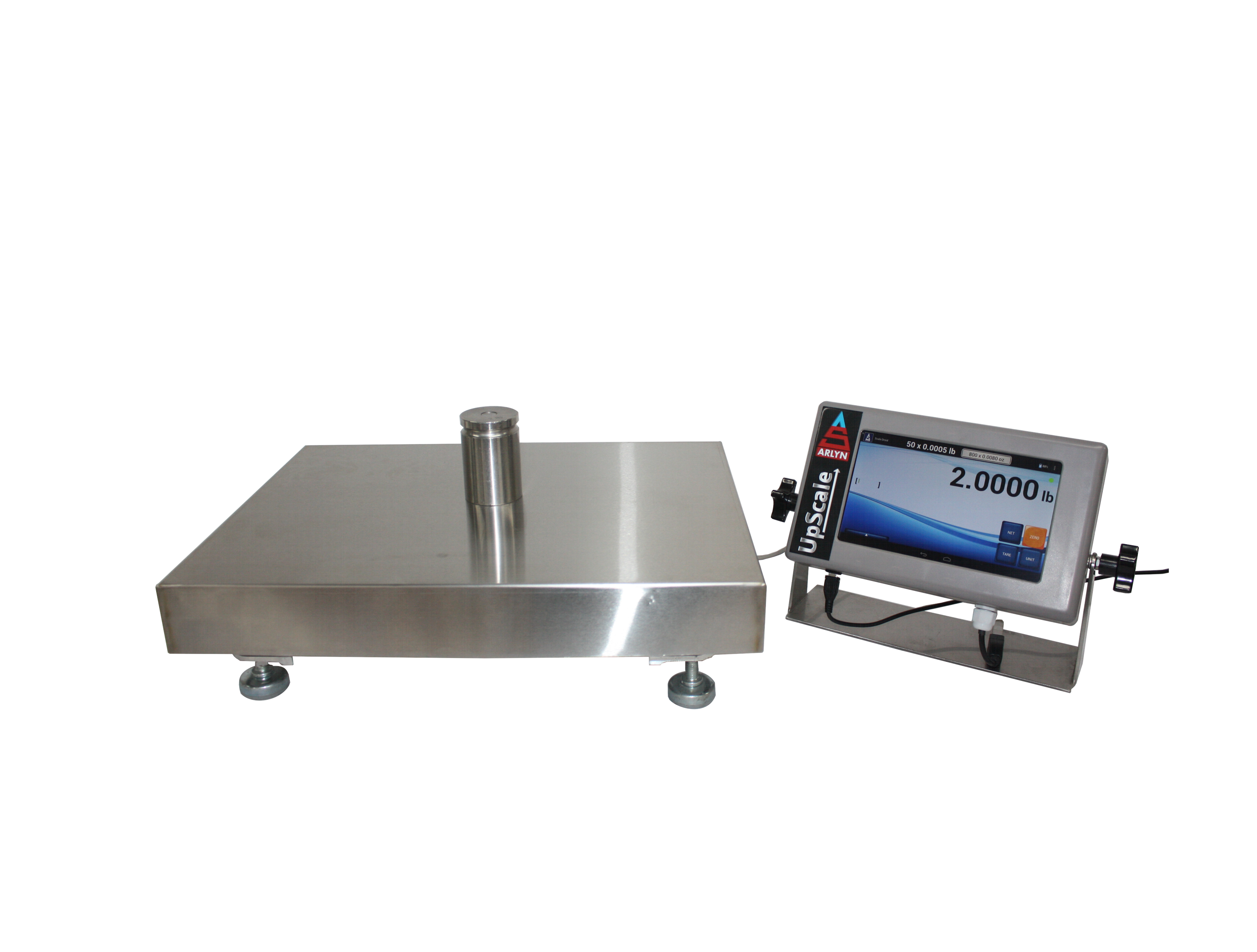
What Is an Internet-Connected Industrial Scale?
An internet-connected industrial scale uses an Ethernet or Wi-Fi connection to send weight information to another device, online service, cloud platform, or email recipient.
The scale continues to measure weight at its installed location, but authorized users no longer need to remain physically beside it to review every reading. Depending on the selected features, the scale can automatically record data, issue notifications, or make its measurements available to employees at other workstations and facilities.
Internet connectivity is especially useful when a company needs to:
- Monitor tanks, drums, cylinders, or inventory continuously
- Maintain electronic production or quality records
- Share weight data between departments
- Receive warnings before material runs out
- Track scales at more than one location
- Reduce manual data entry
- Review measurements without visiting the scale
- Integrate weighing data with existing software
The exact capabilities depend on the scale indicator, communication method, and software options included with the system.
Log Industrial Scale Data Directly to Google Sheets
The Arlyn UpScale can send logged weight readings directly to a Google Sheet when the indicator includes the required data-logging and Ethernet or Wi-Fi options.
As the scale collects measurements, it adds the information to the configured spreadsheet. Authorized users can then open the spreadsheet from a computer, tablet, or phone without waiting for someone to export and distribute the data manually.
Benefits of Google Sheets Data Logging
Google Sheets data logging allows a company to:
- View incoming scale data from another room or facility
- Share weight records with authorized employees
- Analyze scale data with formulas, charts, filters, and spreadsheet tools
- Track changes in inventory or material usage
- Maintain a shared data source for multiple departments
- Reduce manual transcription mistakes
- Review data without installing proprietary desktop software
The Google Sheet does not need to remain open for the scale to post data. Once the system has been configured, the scale can continue sending readings while users access the spreadsheet whenever they need it.
Example: Monitoring Material Consumption
Consider a chemical tank installed on a cylinder scale, platform scale, or tank weighing system. As employees draw material from the tank, the scale can log the declining weight to a Google Sheet.
A production manager could use that information to:
- Review daily material consumption
- Estimate when the tank will need replacement
- Compare usage between production shifts
- Identify an unexpected increase in consumption
- Create charts showing weight changes over time
This gives the company a continuously updated record without requiring an employee to inspect the scale and enter each reading manually.
What Happens If the Internet Connection Is Interrupted?
Google Sheets logging requires an active internet connection. If the connection becomes unavailable, the UpScale can continue recording data in its internal logging table. Depending on the system configuration, employees can later export the stored data through email or a USB flash drive.
For applications that require more advanced offline recovery and automatic synchronization, AxChange monitoring provides additional data-continuity capabilities.
Receive Setpoint Email Alerts
A setpoint is a programmed weight value that causes the scale to perform an action when a defined condition occurs.
Setpoints commonly control equipment such as:
- Pumps
- Valves
- Feeders
- Mixers
- Warning lights
- Buzzers
- External relays
With the appropriate UpScale setpoint and internet communication options, a setpoint can also trigger an email notification. Instead of requiring someone to watch the display continuously, the scale can notify designated personnel when the weight reaches a specified level.
Learn more about setpoint controllers with email notifications.
Example: Low-Level Cylinder Alert
Suppose a company stores helium in a cylinder positioned on a scale. The user could configure a setpoint email alert for 30 pounds.
When the weight reaches that threshold, the scale can automatically email the appropriate employee. The alert gives the employee time to arrange a replacement before the cylinder becomes completely empty.
Additional Uses for Setpoint Email Notifications
- Notify purchasing when stored material reaches a low level
- Alert production personnel when a vessel reaches its filling target
- Warn employees when a container approaches its maximum allowable weight
- Notify a supervisor when material consumption exceeds an expected amount
- Confirm that a batching or dispensing stage has been completed
- Report when a waste container needs to be emptied
- Alert staff when a process moves outside an expected weight range
Setpoint emails make scale readings actionable. The system does not simply collect weight data; it sends information to employees when a specific condition requires attention.
Send Industrial Scale Data Logs by Email
Some businesses do not need to watch every reading live. They may prefer to receive a complete data log periodically for reporting, auditing, inventory review, or quality control.
The Arlyn UpScale can send its data log file directly to an email recipient when the scale includes the required data-logging and Ethernet or Wi-Fi options. The user can send the file manually or configure the scale to email it automatically according to a schedule.
Learn more about scheduled data log emails.
On-Demand Data Log Emails
An operator can send the current data log whenever it is needed. This is useful when:
- A production run has ended
- A supervisor requests a report
- A shipment has been completed
- An employee needs to review recent measurements
- A quality record must be transferred to another department
The employee does not need to remove a USB drive from the scale and carry it to a computer before sending the data.
Scheduled Data Log Emails
The scale can also send reports automatically at configured intervals. For example, a business could schedule data log emails:
- At the end of every shift
- Once per day
- At the end of each production cycle
- At regular intervals during a long-running process
- Once per week for inventory review
Scheduled delivery helps ensure that employees receive reports consistently, even when no one remembers to export the data manually.
Depending on the chosen settings, the user can also control whether the scale clears previously sent records or retains them for inclusion in later emails.
Benefits of Emailing Scale Data Logs
- Employees receive records automatically
- Managers can review reports from another location
- The company can maintain a consistent reporting schedule
- Operators spend less time transferring files
- Departments can receive the same information without sharing physical storage devices
- Records can be forwarded or archived using existing email procedures
Google Sheets works well for shared, near-real-time access. Scheduled data log emails work well when a team needs periodic files or formal reporting. Some operations may benefit from using both.
Monitor Industrial Scales Remotely with AxChange
AxChange is Arlyn’s cloud-based scale monitoring and tracking platform. It provides a centralized solution for organizations that need to monitor weight data across scales, users, departments, or locations.
Through AxChange, authorized users can access live weight information from a web-enabled device. The platform can also provide historical records, automated alerts, remote scale functions, data exports, and integration options.
Live Weight Monitoring
AxChange allows users to view current weights remotely. Organizations can use this capability to monitor:
- Chemical tanks
- Gas cylinders
- Ingredient containers
- Waste vessels
- Raw-material inventory
- Production equipment
- Storage systems
- Scales at remote facilities
A manager can review the current weight without calling an operator or walking to the scale.
Automated Email and Text Alerts
AxChange can generate email or SMS notifications for important weight conditions. Organizations can direct different alerts to employees responsible for purchasing, maintenance, production, quality, or safety.
For example, AxChange could notify users when:
- A tank reaches a low inventory level
- Material usage changes unexpectedly
- A weight crosses a critical threshold
- A container approaches its capacity
- A remote location requires attention
Historical Data and Reports
Live readings show what is happening now, while historical records help users understand what happened over time.
Historical weight information can help businesses:
- Analyze consumption trends
- Review production activity
- Investigate unexpected changes
- Estimate replenishment dates
- Compare locations or operating periods
- Prepare reports for internal review
- Maintain records for audits or quality procedures
AxChange can export records into commonly used file formats for further analysis or documentation.
Offline Logging and Recovery
A temporary network outage should not automatically create a permanent gap in the weighing record.
AxChange can support offline data continuity by allowing information to remain stored when the internet connection is unavailable and synchronizing the stored records after the connection returns. This makes it suitable for processes where record continuity is especially important.
Remote Scale Control
Depending on the system configuration and user permissions, AxChange can allow an authorized user to perform scale functions remotely, including:
- Zero
- Tare
- Unit selection
- Net and gross display switching
- Remote screen viewing
Remote control can help technical personnel inspect or operate a system without immediately traveling to the scale location.
Google Sheets, Email Reports, or AxChange: Which Should You Use?
The best approach depends on how your organization needs to access and use its scale data.
| Internet-Enabled Feature | Best Suited For |
|---|---|
| Google Sheets data logging | Shared access, spreadsheet analysis, simple live logging, and collaboration |
| Setpoint email alerts | Immediate notification when a target or threshold is reached |
| On-demand data log emails | Sending a report after a process, shift, batch, shipment, or inspection |
| Scheduled data log emails | Automatic daily, weekly, shift-based, or interval reporting |
| AxChange monitoring | Centralized monitoring, multiple scales or locations, historical analysis, alerts, remote control, and offline recovery |
| Web-based integration | Sending scale readings to internal applications, databases, dashboards, or business systems |
These functions do not necessarily compete with one another. A company may use Google Sheets for collaborative analysis, setpoint emails for immediate warnings, scheduled reports for recordkeeping, and AxChange for centralized monitoring.
How Internet Connectivity Reduces Manual Work
Manual data collection requires an employee to visit the scale, read the display, write or type the result, and transfer it to the correct person or system. Every step takes time and creates an opportunity for delay or error.
An internet-connected scale can automate much of this process.
Reduce Transcription Errors
Automatic data logging transfers the scale reading electronically. Employees no longer need to copy each value by hand, reducing the risk of:
- Reversed numbers
- Missed decimal points
- Incorrect units
- Forgotten readings
- Illegible handwritten notes
- Data entered under the wrong date, batch, or item
Respond Faster to Weight Changes
Setpoint emails and AxChange alerts notify employees when a defined condition occurs. The responsible person does not need to discover the issue during the next scheduled inspection.
Earlier notification can help prevent:
- Empty material containers
- Interrupted production
- Overfilled vessels
- Unplanned emergency orders
- Excess material usage
- Missed replenishment windows
Improve Access Across Departments
Production, purchasing, quality control, management, and maintenance may all need different information from the same weighing process.
Internet connectivity allows authorized users to access or receive the data without relying on a single employee to distribute every update.
Create More Consistent Records
Scheduled logging and automated emails create records according to a configured process rather than an employee’s memory. This can improve the consistency of inventory, production, and quality documentation.
Applications for Internet-Connected Industrial Scales
Tank, Drum, and Cylinder Inventory
A scale can continuously measure the amount of material remaining in a tank, drum, or cylinder. Remote monitoring and low-level alerts help purchasing and production teams plan replacements before inventory runs out.
Chemical Processing
Chemical operations can use logged weight data to monitor filling, dispensing, formulation, usage, and material loss. Setpoints can trigger equipment or notify employees when the process reaches an important weight.
Pharmaceutical and Laboratory Operations
Electronic weight records can improve traceability and reduce manual transcription during formulation, batching, research, and quality-control procedures.
Each organization must determine whether the complete weighing and data system meets its validation, security, documentation, and regulatory requirements.
Manufacturing and Production
Manufacturers can use internet-connected scales to record batch weights, monitor component usage, confirm filling targets, and share production data with supervisors or quality personnel.
Waste and Recycling
A connected scale can monitor the accumulation of waste or recyclable material. Alerts can indicate when a container approaches its service or collection threshold.
Warehousing and Logistics
Connected scales can transfer weighing information to other systems and reduce the need to enter shipping, receiving, or inventory measurements manually.
Should You Connect an Industrial Scale Through Ethernet or Wi-Fi?
Both Ethernet and Wi-Fi can provide network or internet access, but the best choice depends on the installation.
Ethernet Connections
A wired Ethernet connection may be preferred when:
- The scale remains in a fixed location
- Network stability is a priority
- Network cabling is already available
- The facility limits wireless communication
- The scale must connect directly to a local network
Wi-Fi Connections
Wi-Fi may be preferred when:
- Installing a network cable would be difficult
- The scale may move within the facility
- The site already has reliable wireless coverage
- Reducing cable clutter is important
- The scale is located away from an available Ethernet port
Before selecting Wi-Fi, confirm that the scale location has dependable wireless coverage. Metal walls, industrial machinery, distance from access points, and other sources of interference can affect network performance.
Which Arlyn Scales Can Use Internet-Enabled Features?
Many Arlyn weighing systems can be configured with the UpScale Touchscreen Indicator and compatible communication options. Available features depend on the selected scale, indicator, data-logging package, setpoint functions, Ethernet or Wi-Fi option, and software service.
Compatible applications may include:
- Platform scales
- Floor scales
- Cylinder scales
- Drum scales
- Tank weighing systems
- Ultra Precision SAW scales
- Corrosion-resistant scales
- Custom industrial weighing systems
- Intrinsically safe systems with communication equipment installed in an appropriate safe-area configuration
Arlyn can also use the UpScale with certain compatible third-party weighing platforms, allowing an existing scale to access advanced communication and data-management features.
Connect Your Industrial Scale to Your Operation
Internet access gives an industrial scale the ability to do more than display a weight. It can automatically document measurements, notify employees when action is required, distribute reports, and provide remote visibility into materials and processes.
Arlyn Scales can help you select a system based on:
- What you need to weigh
- Maximum scale capacity
- Required readability
- Number and location of scales
- Frequency of data collection
- Preferred alert method
- Reporting requirements
- Ethernet or Wi-Fi availability
- Internal software integration requirements
- Environmental or hazardous-location requirements
Discuss an Internet-Connected Industrial Scale
Call Arlyn Scales at 800-645-4301 or submit your application through our online contact form.
Frequently Asked Questions About Internet-Connected Industrial Scales
Can an industrial scale send weight data to Google Sheets?
Yes. An Arlyn scale equipped with the UpScale Touchscreen Indicator and the required data-logging and internet communication options can send weight records to a configured Google Sheet.
Can a scale email me when its weight gets too low?
Yes. With the appropriate setpoint and Ethernet or Wi-Fi options, an UpScale can send an email when a programmed weight target or threshold is reached.
Can an industrial scale email its complete data log?
Yes. The UpScale can send a data log file by email on demand or automatically according to a configured schedule when the required data-logging and network options are installed.
What is AxChange?
AxChange is Arlyn’s cloud-based industrial scale monitoring and tracking platform. It provides live weight access, automated alerts, historical records, offline data recovery, export tools, and remote scale functions.
Does Google Sheets scale logging require an internet connection?
Yes. The scale requires an internet connection to post readings to Google Sheets. If the connection is interrupted, the UpScale can continue storing readings internally for later export, depending on the system configuration.
Can I monitor more than one industrial scale remotely?
AxChange is designed to centralize monitoring across connected scales and locations, making it suitable for businesses that need broader visibility than a single spreadsheet or email recipient provides.
Can an internet-connected scale control pumps or valves?
The internet connection itself does not directly control the equipment. The scale’s setpoint outputs can activate compatible relays, pumps, valves, feeders, alarms, and other devices when programmed weight conditions occur. Internet connectivity can supplement that process by sending email or cloud alerts.