Printing directly from an industrial scale can give operators an immediate receipt, weight record, product label, barcode, or QR code without re-entering the measurement at a separate workstation. Arlyn Scales offers four printer configurations for different label sizes, media types, indicator choices, and traceability requirements.
Choose the Arlyn PR-A90 with an UpScale touchscreen when you need wide, professional thermal labels with barcodes or QR codes. Choose the compact Arlyn PR-A10 for narrow 58 mm printouts, the USB-only Epson TM-L90 or a compatible equivalent for label and receipt printing from UpScale, or the Epson TM-U220D for traditional impact receipts from either an MKE-5 or UpScale.
Compare Printer Options
Discuss Your Printing Workflow
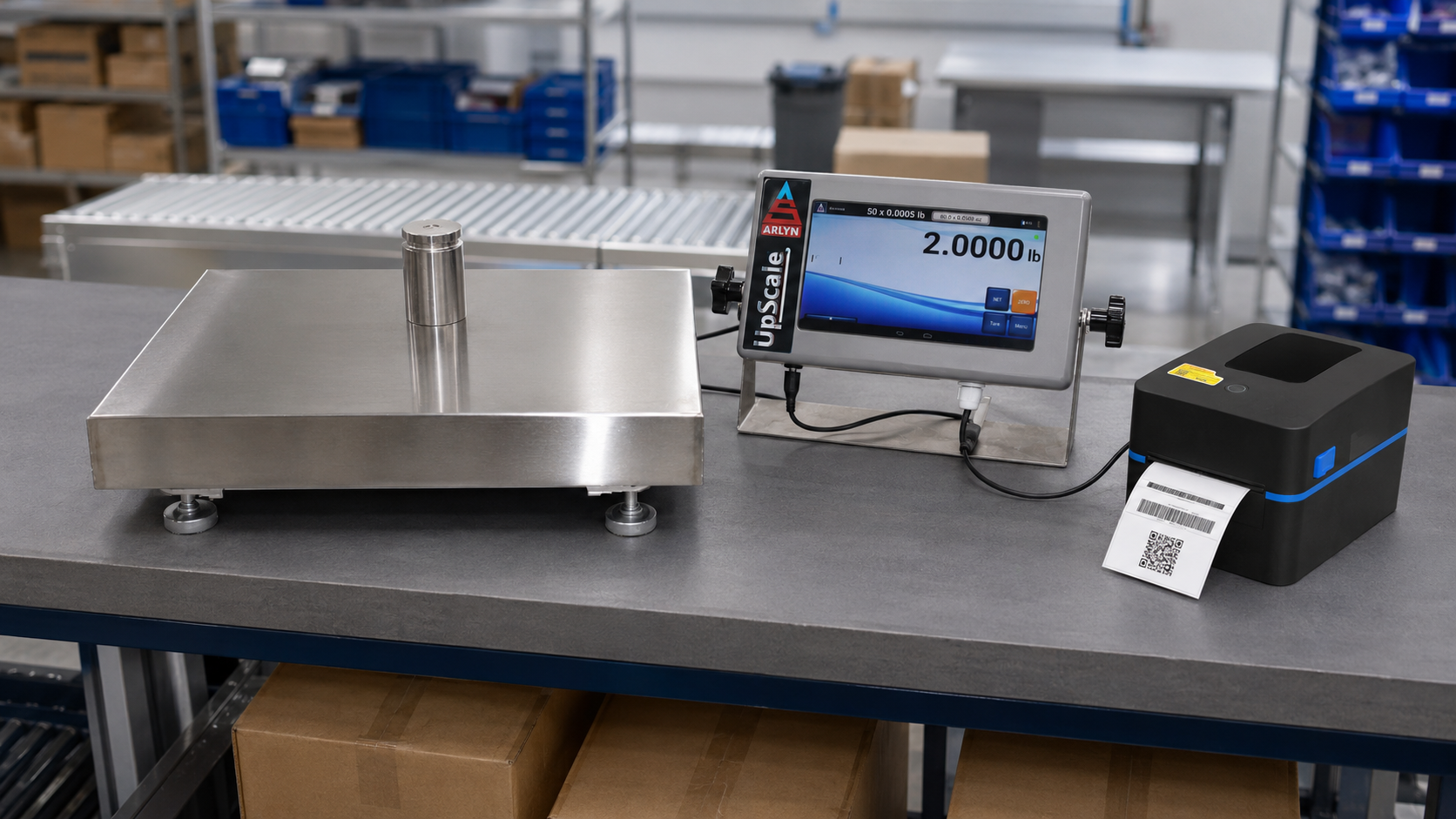
Arlyn Scale Printer Compatibility at a Glance
| Printer | Compatible Indicator | Scale Connection | Barcode / QR Printing | Best Suited For |
|---|---|---|---|---|
| Arlyn PR-A90 Featured 4-inch label printer |
UpScale only | USB or Bluetooth | Available with the UpScale Barcode and QR Code Print Function | Wide product, inventory, warehouse, batch, and shipping labels |
| Arlyn PR-A10 58 mm thermal printer |
UpScale only | USB or Bluetooth | Available with the UpScale Barcode and QR Code Print Function | Compact receipts, narrow labels, weight tickets, and portable printouts |
| Epson TM-L90 or Compatible Equivalent Thermal label and receipt printer |
UpScale only | USB only | Available with the UpScale Barcode and QR Code Print Function | Narrow-to-medium labels, receipts, and tickets from UpScale |
| Epson TM-U220D Impact receipt printer |
MKE-5 or UpScale | RS-232 | Not available | Traditional weight receipts, continuous paper records, and one original plus one copy |
Compatibility note
Barcode and QR-code printing is an UpScale workflow and requires the appropriate Barcode and QR Code Print Function and a supported printer configuration. Within the printer lineup shown here, the MKE-5 connects only to the Epson TM-U220D by RS-232 for standard, non-barcode print output. Printer interfaces, cables, and factory configuration should be selected when the scale is ordered.
Printer and Connection Pricing
| Printer | Supported Connection | Price |
|---|---|---|
| Arlyn PR-A90-BT | Bluetooth | $350 |
| Arlyn PR-A90-USB | USB | $400 |
| Arlyn PR-A10-BT | Bluetooth | $200 |
| Arlyn PR-A10-USB | USB | $250 |
| Epson TM-L90 | USB only | $550 |
| Epson TM-U220D | RS-232 only | $450 |
UpScale Barcode and QR Code Function Pricing
| UpScale Function | Includes | Price |
|---|---|---|
| Barcode & QR Code – Print Function | Printing only | $200 |
| Barcode & QR Code – Handheld Scanning | Handheld scanning only | $150 |
| Barcode & QR Code – Printing & Handheld Scanner | Printing and handheld scanning | $300 |
Printer hardware and connection pricing is separate from the selected UpScale barcode and QR code function. Confirm the complete scale, indicator, printer, scanner, interface, and software configuration when ordering.
Featured Printer: Arlyn PR-A90 4-Inch Direct Thermal Barcode Label Printer
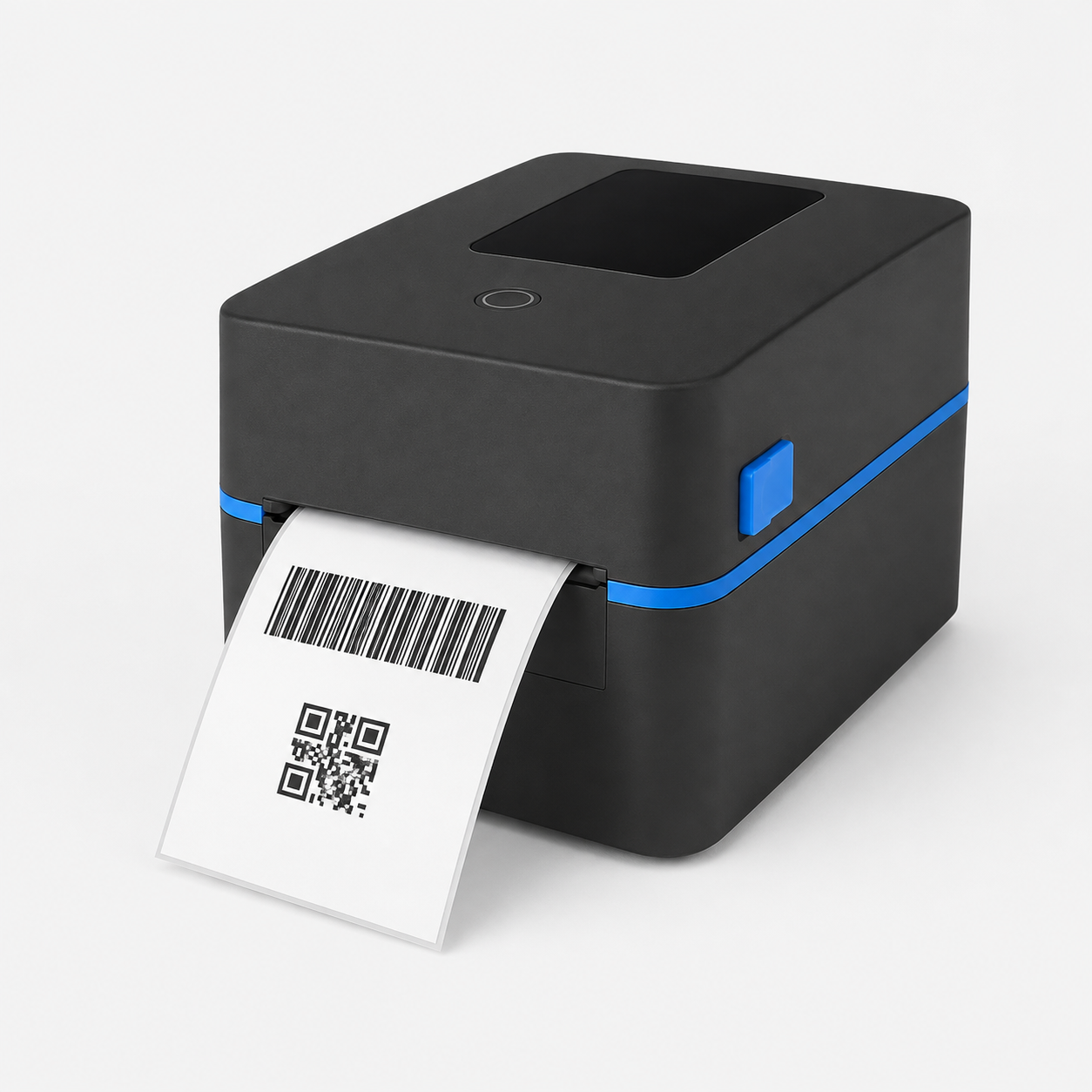
The strongest choice for full-size industrial labels
The Arlyn PR-A90 combines wide-format direct thermal printing with USB or Bluetooth connectivity for the UpScale touchscreen. It is designed for operations that need more room for weight data, product identification, barcodes, QR codes, lot or batch information, and other label elements.
- Widest media range in the Arlyn printer lineup: 20 to 118 mm paper width with a print width up to 108 mm.
- Fast output: print speeds up to 152 mm per second at 203 dpi.
- Larger media capacity: accommodates label rolls up to 127 mm outside diameter.
- Dedicated label handling: label-edge, out-of-paper, gap, black-mark, and cover-open detection.
- Barcode-ready hardware: supports widely used 1D formats plus PDF417, MaxiCode, Data Matrix, and QR Code.
- No ink or ribbon: direct thermal printing reduces routine consumable changes.
- UpScale integration: connects by USB or Bluetooth and works with Arlyn’s label-design and template-import workflow.
| Specification | Value |
|---|---|
| Printing method | Direct thermal |
| Resolution | 203 dpi |
| Maximum print speed | 152 mm/second |
| Paper and print width | 20 to 118 mm paper width; up to 108 mm print width |
| Label length | 25 to 250 mm |
| Media | Roll or fanfold media; die-cut labels; black-mark paper; 0.06 to 0.22 mm thickness |
| Maximum roll capacity | 127 mm outside diameter, outside wound |
| Supported Arlyn interface | USB or Bluetooth to an Arlyn UpScale touchscreen |
| Printer command | TSPL-compatible |
| Dimensions and weight | 232 × 180 × 152 mm (L × W × H); approximately 1.36 kg |
How the Four Printer Options Compare
| Feature | Arlyn PR-A90 Featured option |
Arlyn PR-A10 | Epson TM-L90 or Similar | Epson TM-U220D |
|---|---|---|---|---|
| Print technology | Direct thermal label | Thermal line | Thermal line | 9-pin impact dot matrix |
| Indicator / connection | UpScale; USB or Bluetooth | UpScale; USB or Bluetooth | UpScale; USB only | MKE-5 or UpScale; RS-232 only |
| Maximum media width | 118 mm | 58 mm | 80 mm | 76 mm |
| Resolution / output format | 203 dpi; wide labels | 203 dpi; 48 mm print width | 203 × 203 dpi | Impact receipt output |
| Maximum listed speed | 152 mm/second | 90 mm/second | 150 mm/second | 4.7 lines/second at 40 columns; 6.0 lines/second at 30 columns |
| Maximum listed roll diameter | 127 mm | 40 mm | 90 mm | 83 mm |
| Label-position sensors | Gap, black mark, label edge, out of paper, and cover open | None | Configuration dependent | Receipt paper handling |
| Original plus copy | Not applicable | Not applicable | Not applicable | Available: one original and one copy |
| Primary advantage | Best combination of label width, roll capacity, sensors, speed, and barcode capability | Small footprint and narrow printouts | Established compact label and receipt format for USB-connected UpScale stations | Impact receipts and duplicate-copy capability |
Printer speeds use different manufacturer test methods and should not be treated as an exact throughput comparison. Actual results depend on label content, print density, interface, media, and scale configuration.
Arlyn PR-A10 58mm USB/Bluetooth Thermal Printer
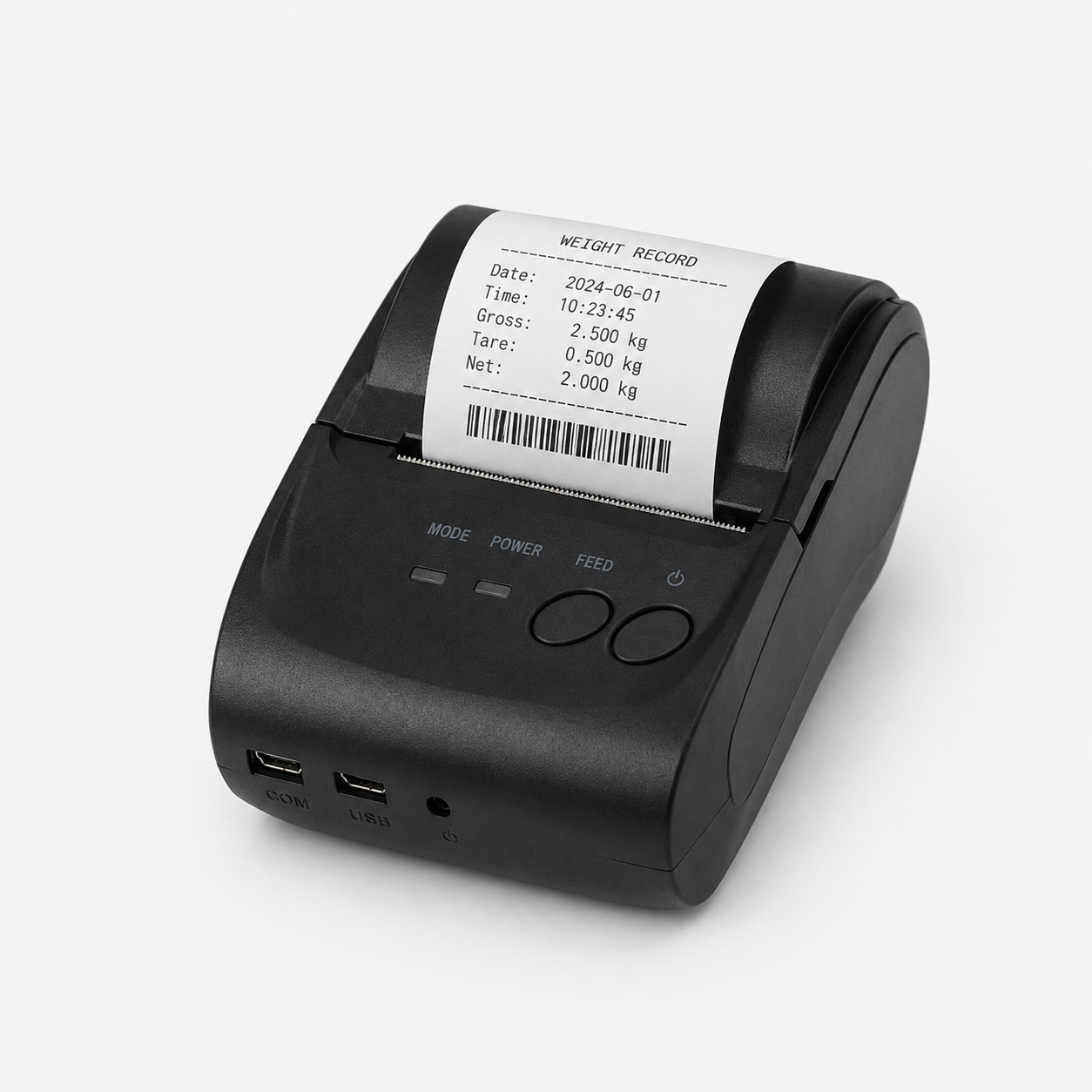
The Arlyn PR-A10 is the compact option for an UpScale station that needs a small receipt, weight ticket, or narrow barcode label. It connects by USB or Bluetooth and does not require a separate serial communication option for the supported UpScale configuration.
- UpScale only
- USB or Bluetooth interface
- Thermal line printing on 58 mm thermal paper
- 90 mm/second print speed
- 203 dpi resolution with a 48 mm print width
- Supports barcode and QR-code printing when the scale includes the UpScale Barcode and QR Code Print Function
- Supports downloadable logo graphics
- Maximum listed roll diameter: 40 mm
Epson TM-L90 Thermal Label and Barcode Printer
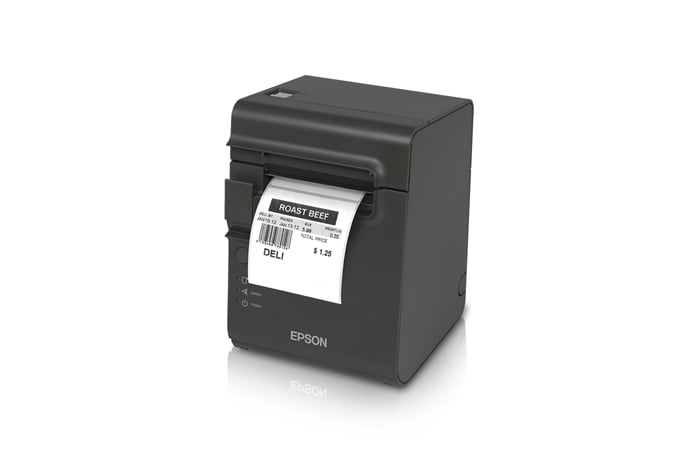
The Epson TM-L90, or a compatible printer supplied for the application, is a compact thermal option for labels, receipts, and tickets. In the Arlyn configuration, it works only with the UpScale touchscreen through USB. It does not work with the MKE-5. Barcode or QR-code printing requires the UpScale Barcode and QR Code Print Function.
- Thermal line printing at 203 × 203 dpi
- Print speeds up to 150 mm/second in high-speed mode
- Supports 38 mm, 60 mm, and 80 mm media widths
- Accepts rolls up to 90 mm in diameter
- Easy drop-in paper loading
- Prints labels, receipts, tickets, common 1D barcodes, PDF417, MaxiCode, and QR Code
- UpScale only; USB connection only
- Manufacturer-listed MCBF: 70 million lines
Epson TM-U220D Impact Receipt Printer
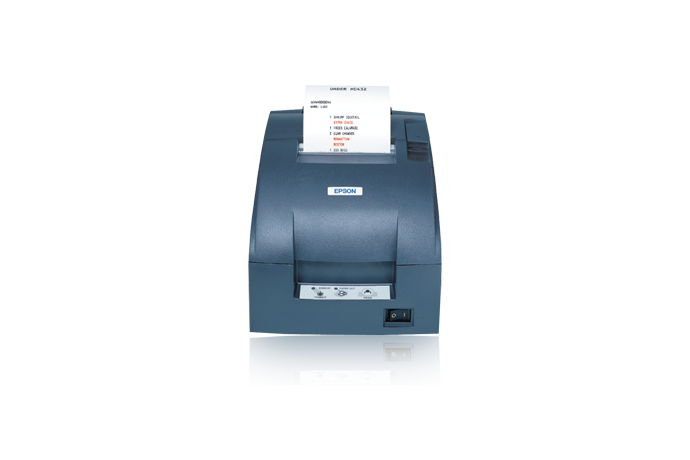
The Epson TM-U220D is the traditional receipt-printing choice. It uses an RS-232 connection to a compatible MKE-5 or UpScale indicator, prints with an inked ribbon, and supports one original plus one copy. It is not a barcode printer.
- 9-pin serial impact dot-matrix printing
- 4.7 lines/second at 40 columns or 6.0 lines/second at 30 columns
- Supports 57.5 mm, 69.5 mm, and 76 mm paper widths
- Maximum listed paper-roll diameter: 83 mm
- One original plus one copy
- ERC-38 black or black/red ribbon
- Manufacturer-listed reliability: 180,000-hour MTBF and 18 million-line MCBF
- Barcode and QR-code printing are not supported
Free Label Designer Suite for UpScale
The Label Designer Suite is free and includes both the OpenLabel Label Designer Editor and Arlyn LabelTag Utility Software. For applications that need more than a standard weight ticket, the suite provides a workflow for creating a reusable layout and preparing it for the UpScale touchscreen.
| Step | Tool | What You Do |
|---|---|---|
| 1. Build the layout | OpenLabel Label Designer Editor | Create the label size and arrange the text, graphics, barcodes, and other objects required by the application. |
| 2. Identify variable elements | Arlyn LabelTag Utility Software | Tag the label elements that will be populated by the configured UpScale workflow. |
| 3. Export the template | Arlyn LabelTag Utility Software | Export the completed label definition as an XML file. |
| 4. Import and test | Arlyn UpScale Utility Software | Import the XML template into UpScale, select the supported printer, and test the output with the actual label stock. |
Label design and printer setup should be confirmed with the actual printer, media dimensions, barcode requirements, and UpScale options included in the order. Arlyn can help determine whether a standard print frame is sufficient or a custom label template is the better fit.
Choose the Printer Around the Job
- Choose the Arlyn PR-A90 when label width, barcode flexibility, roll capacity, media sensing, and professional product identification are the priorities.
- Choose the Arlyn PR-A10 when the station needs a compact 58 mm receipt or narrow barcode printout from UpScale.
- Choose the Epson TM-L90 or a compatible equivalent when you need thermal labels or receipts from a USB-connected UpScale station.
- Choose the Epson TM-U220D when you need a traditional impact receipt, serial connection, or one original plus one copy and do not need barcodes.
Plan the complete configuration before ordering
Confirm the scale model, indicator, connection method, cable length, printer location, label or paper dimensions, barcode format, required data fields, print trigger, and number of printouts. Some printer and barcode functions require purchased options or factory wiring.
Frequently Asked Questions
Which Arlyn scale printer is best for wide barcode labels?
Can an MKE-5 indicator print barcodes?
Do thermal printers require ink or a ribbon?
Can Arlyn help create a custom label format?
Can a printer be added to an existing Arlyn scale?
Configure the Scale, Printer, and Label Workflow Together
Tell Arlyn what the scale must print, the label or paper size, whether barcodes or QR codes are required, and how operators will trigger each printout. We can match the indicator, printer, interface, software, and media to the application.