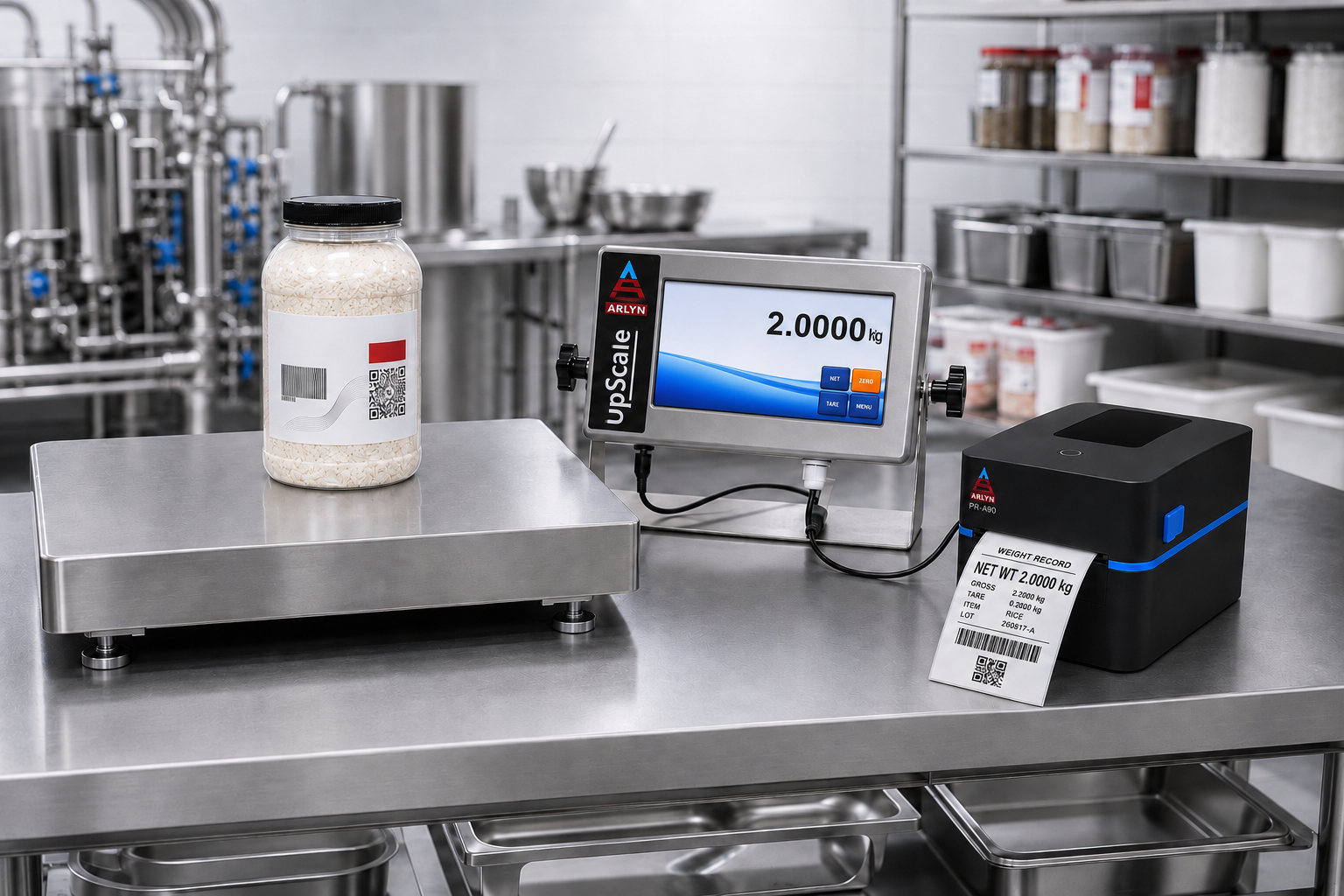
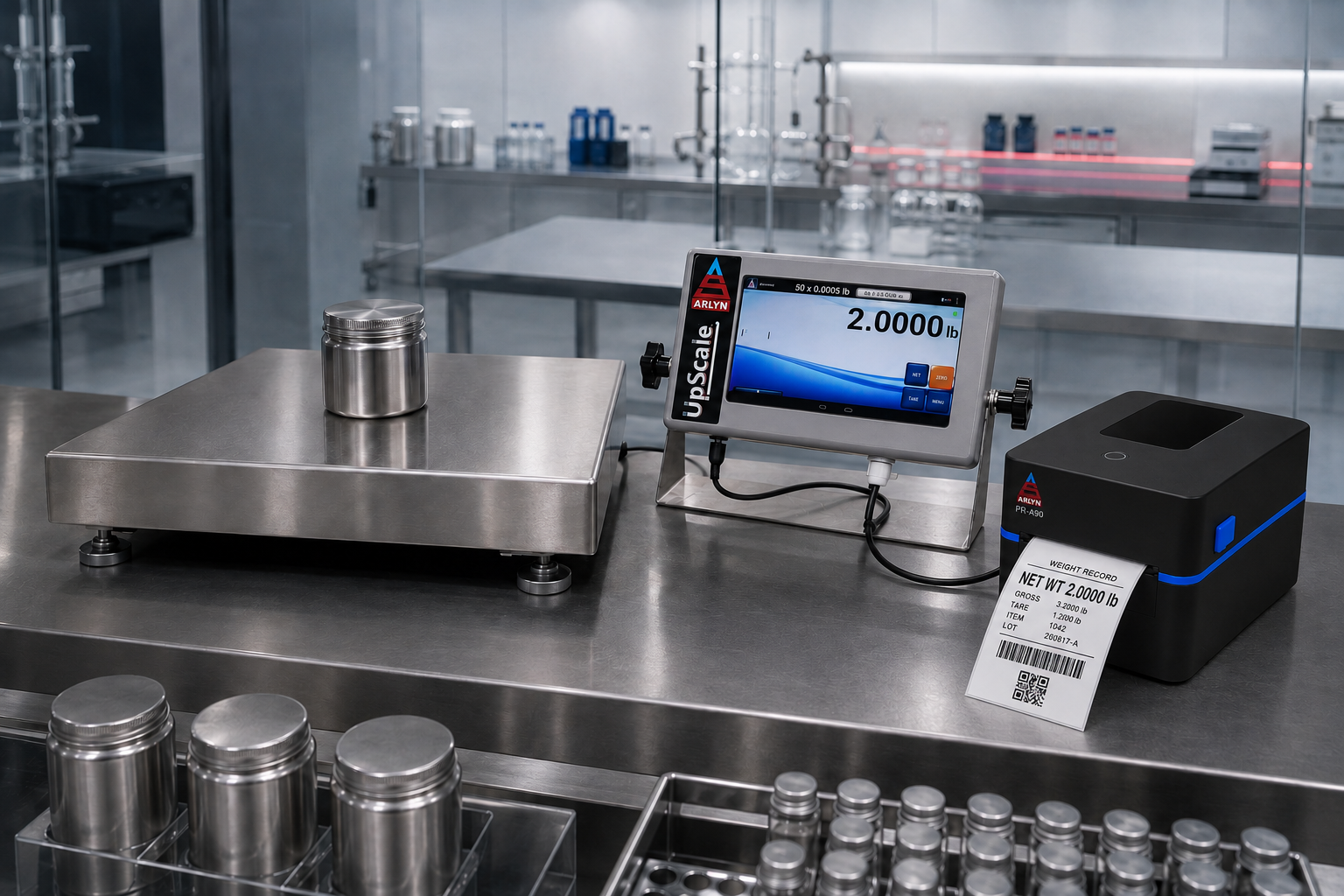
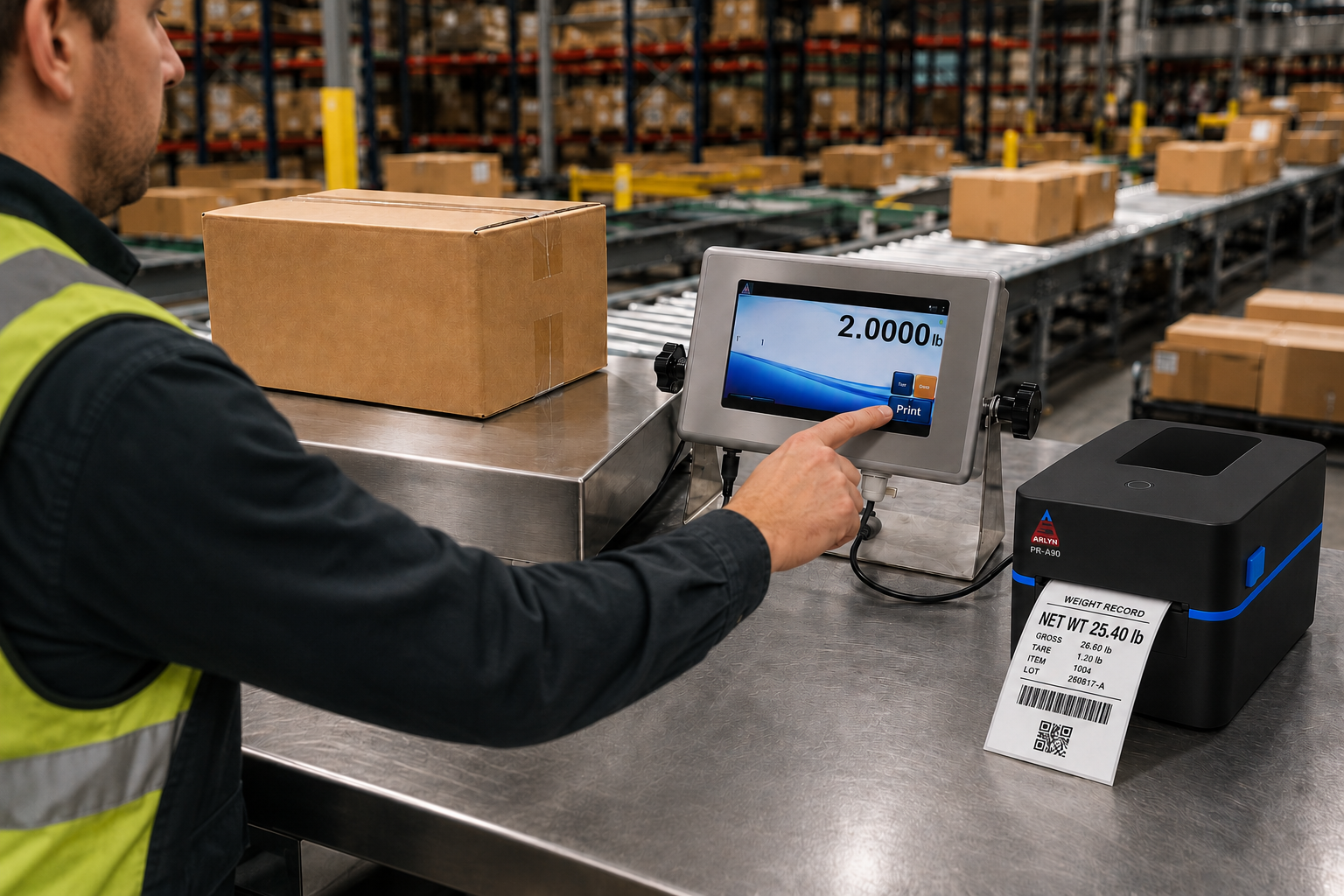
01 · Weigh
Capture the result
The compatible Arlyn scale and UpScale indicator capture the weight and the operator-selected context.
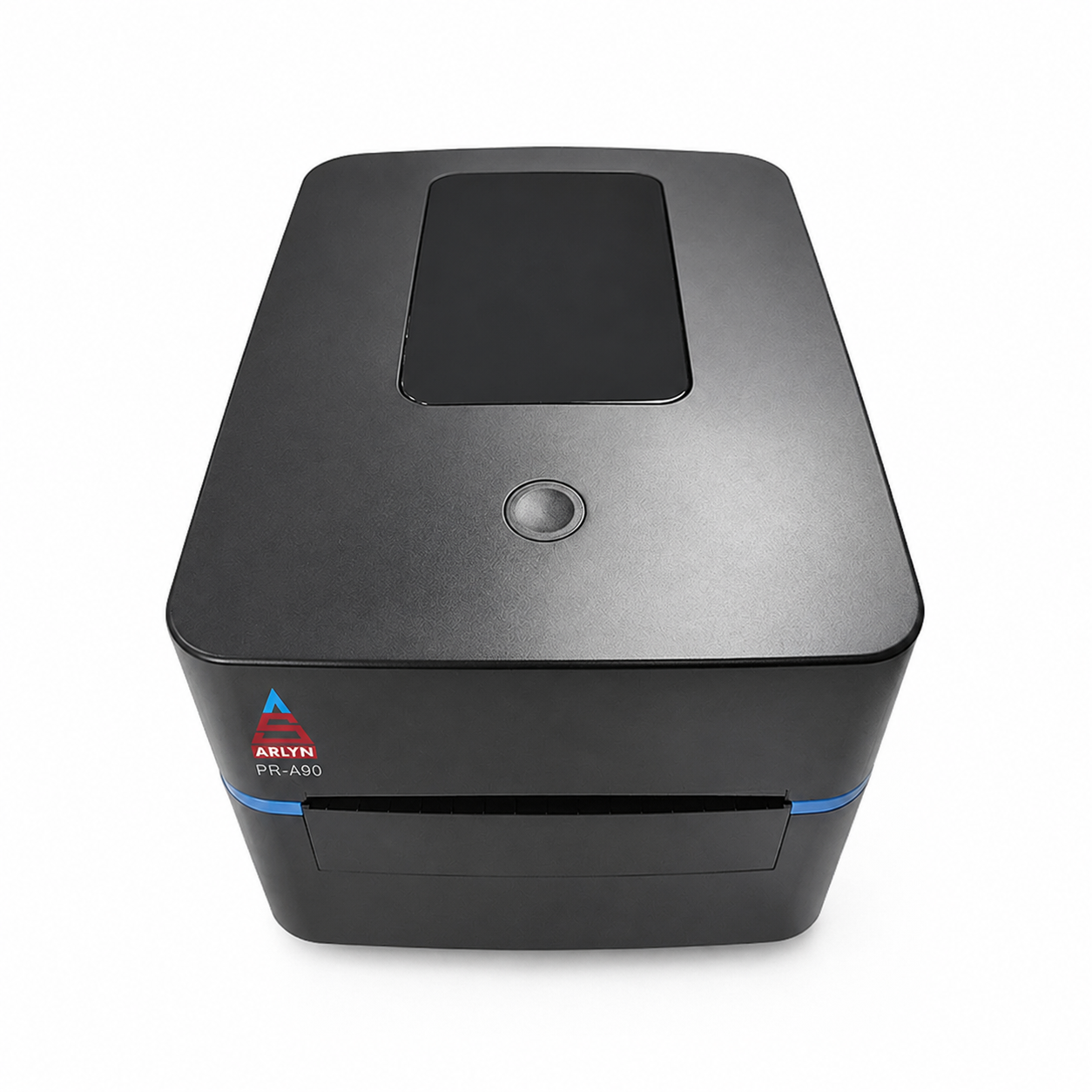
Arlyn PR-A90
The Arlyn PR-A90 is a 4-inch direct thermal barcode label printer offered with compatible Arlyn scales equipped with the UpScale touchscreen indicator. It converts scale data into wider labels for products, batches, inventory, pallets and traceability workflows.
Choose an approved USB or Bluetooth configuration, then add the UpScale Barcode & QR Print Function when the workflow requires machine-readable codes. OpenLabel is available for label layout design. Arlyn LabelTag, the planned utility for mapping supported UpScale fields and preparing selectable print frames, is coming soon. The PR-A90 is configured with a compatible scale and is not sold as a standalone or retrofit product.
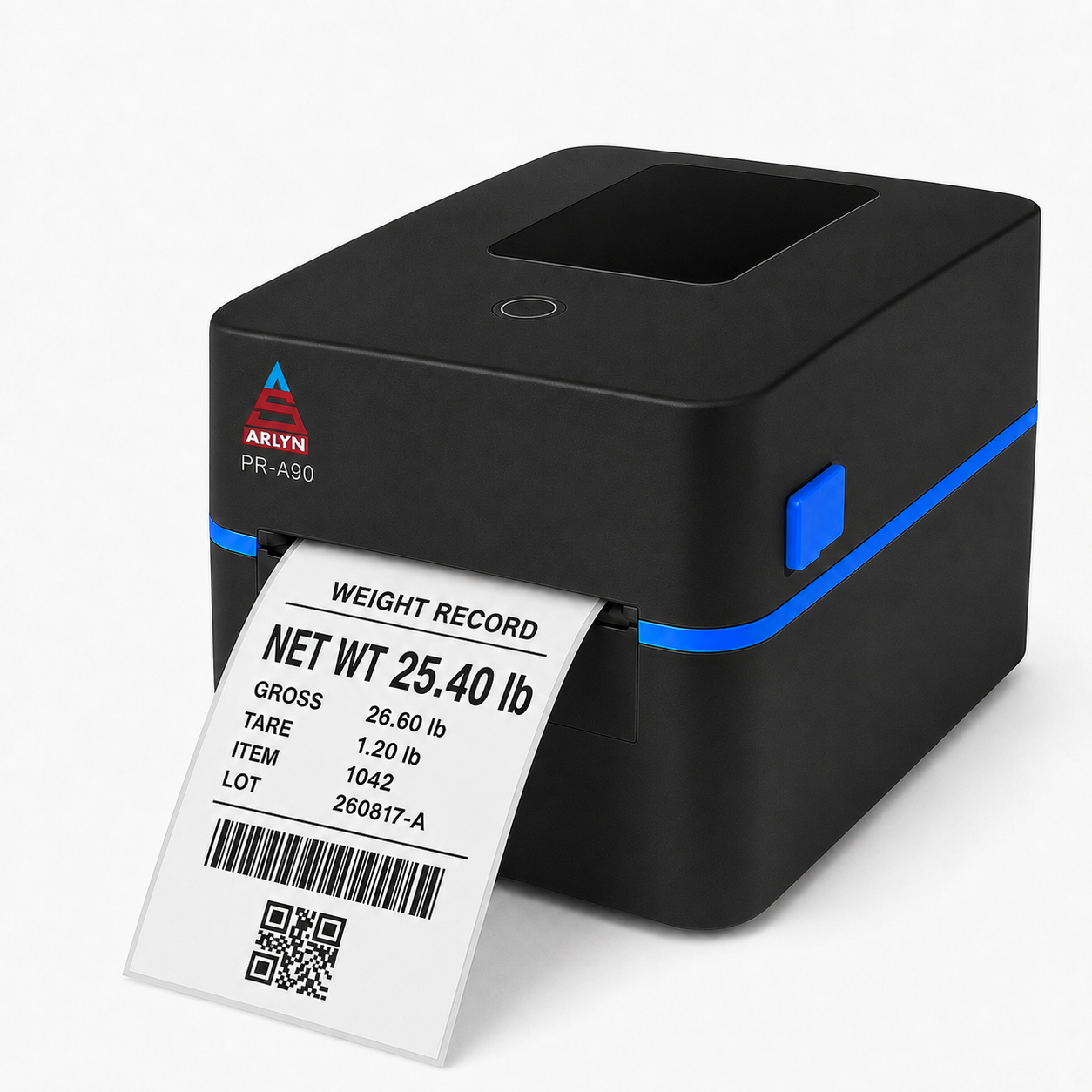
The PR-A90 extends the weighing station beyond a number on a screen, creating a physical record that can travel with the item, batch or shipment.
01 · Weigh
The compatible Arlyn scale and UpScale indicator capture the weight and the operator-selected context.
02 · Identify
Create a human-readable record and, with the appropriate print function, a barcode or QR code for the next system.
03 · Move
Apply the label to the product, container, sample or pallet so identification stays with the physical item.
The Arlyn label-customization advantage
OpenLabel is available for creating the label layout. Arlyn LabelTag, the planned companion utility for mapping supported UpScale fields and preparing selectable print frames, is coming soon.
The complete workflow is intended to let customers build a label around the information their process needs, prepare it as a selectable print frame during background setup and keep the weighing-station experience simple.
After the supported workflow is released and configured, operators will continue to work from the standard UpScale weight screen. They will weigh the item and press PRINT to produce the selected label.
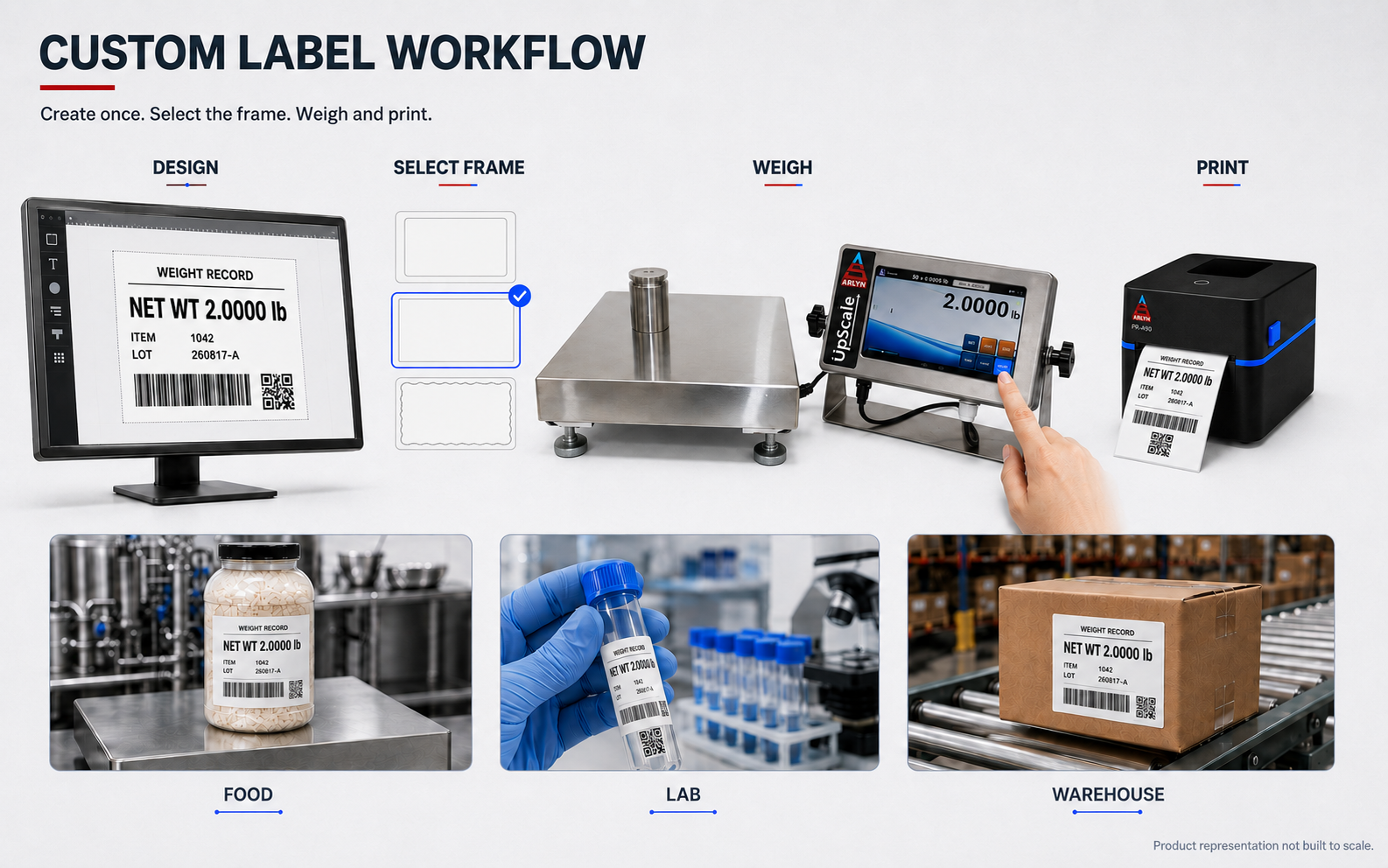
Where it fits
Wide labels give teams room to combine the measured result with the operational details people and systems need next.
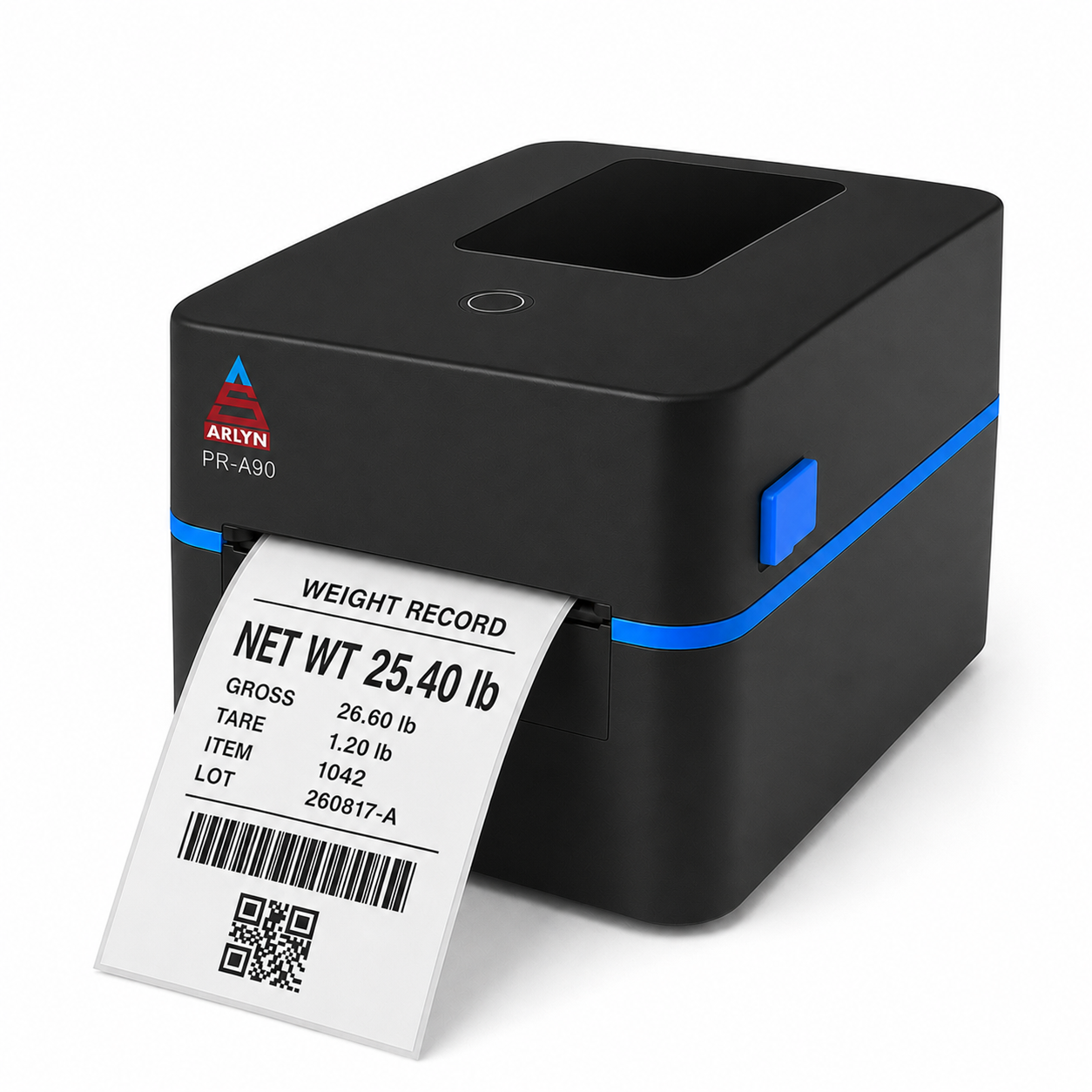
Production-ready output
With a listed maximum speed of 152 mm per second (6 inches per second), the PR-A90 is built for repeat label creation without turning the printer into the slow step in the workflow.
Actual throughput varies with label content, media, darkness settings, connection and workflow.
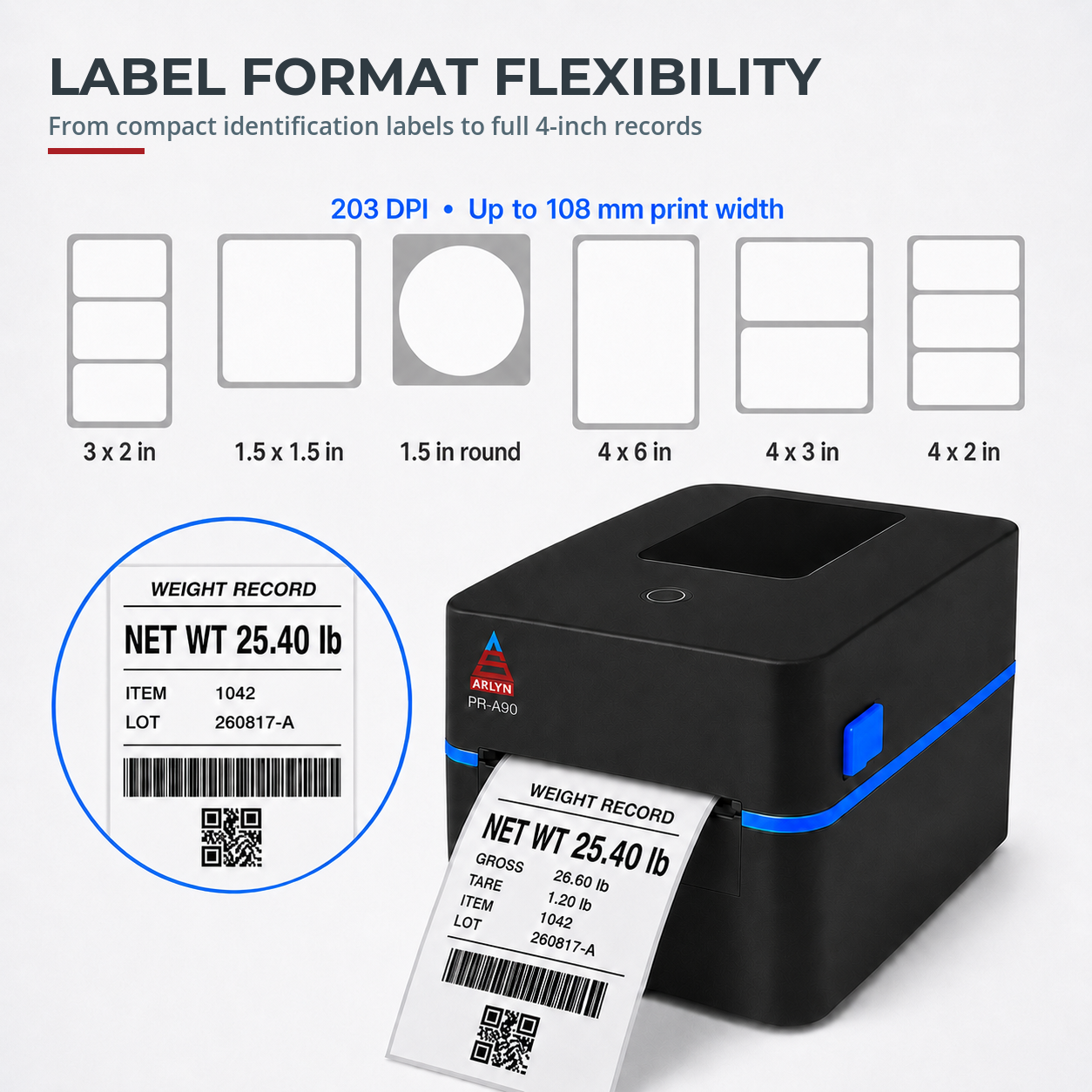
More room for useful information
The PR-A90 accepts media from 20 to 118 mm wide and provides up to 108 mm of print width. That range supports compact identification labels as well as wider product, case and pallet formats.
Use the extra space for weight, unit, gross/tare/net values, item or lot information, operator details and customer-defined fields. Barcode and QR output requires the compatible UpScale print function and a validated label layout.
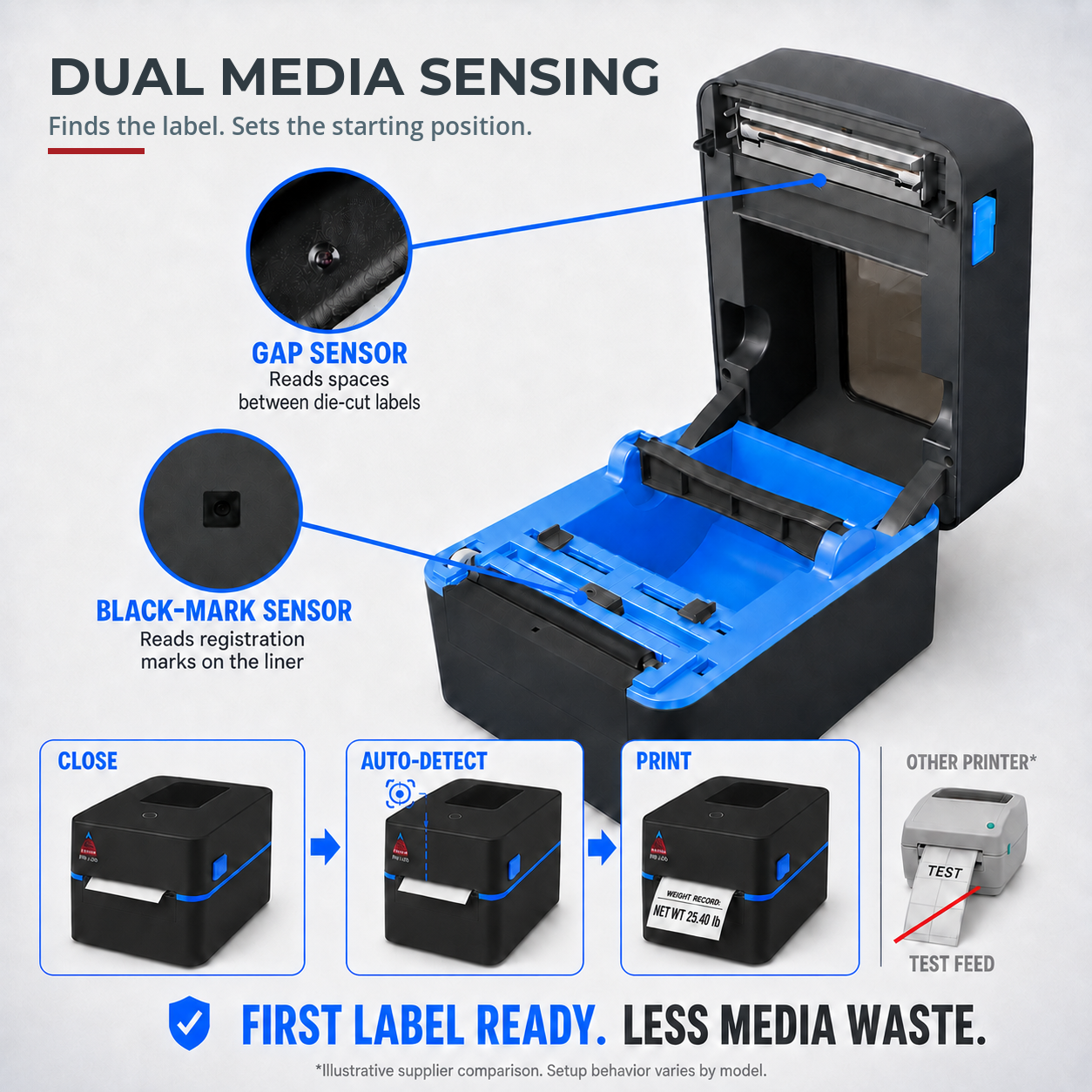
Media control
Gap and black-mark detection let the PR-A90 work with common die-cut and marked media. Correct calibration helps establish the first print position and maintain alignment across a run.
The practical result is simpler setup, fewer misaligned starts and less media consumed while dialing in a new roll or label stock.
Designed for repeated use
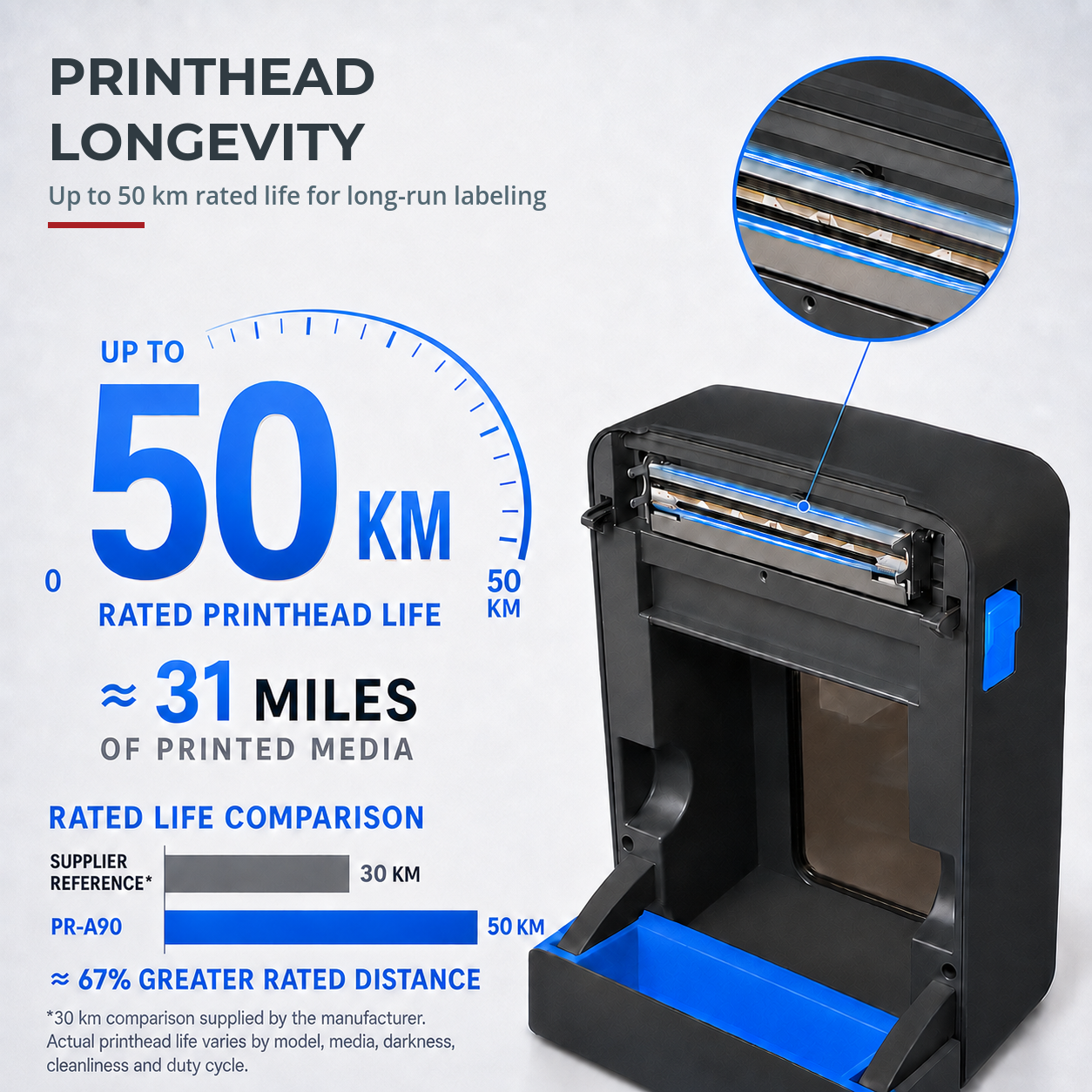
The current hardware specification lists a printhead life of up to 50 km of printed media when the printer is correctly maintained and paired with suitable direct thermal stock.
Printhead life is not a fixed label count. Media abrasiveness, adhesive buildup, heat settings, cleaning practices and duty cycle all affect real-world service life.
Daily operation
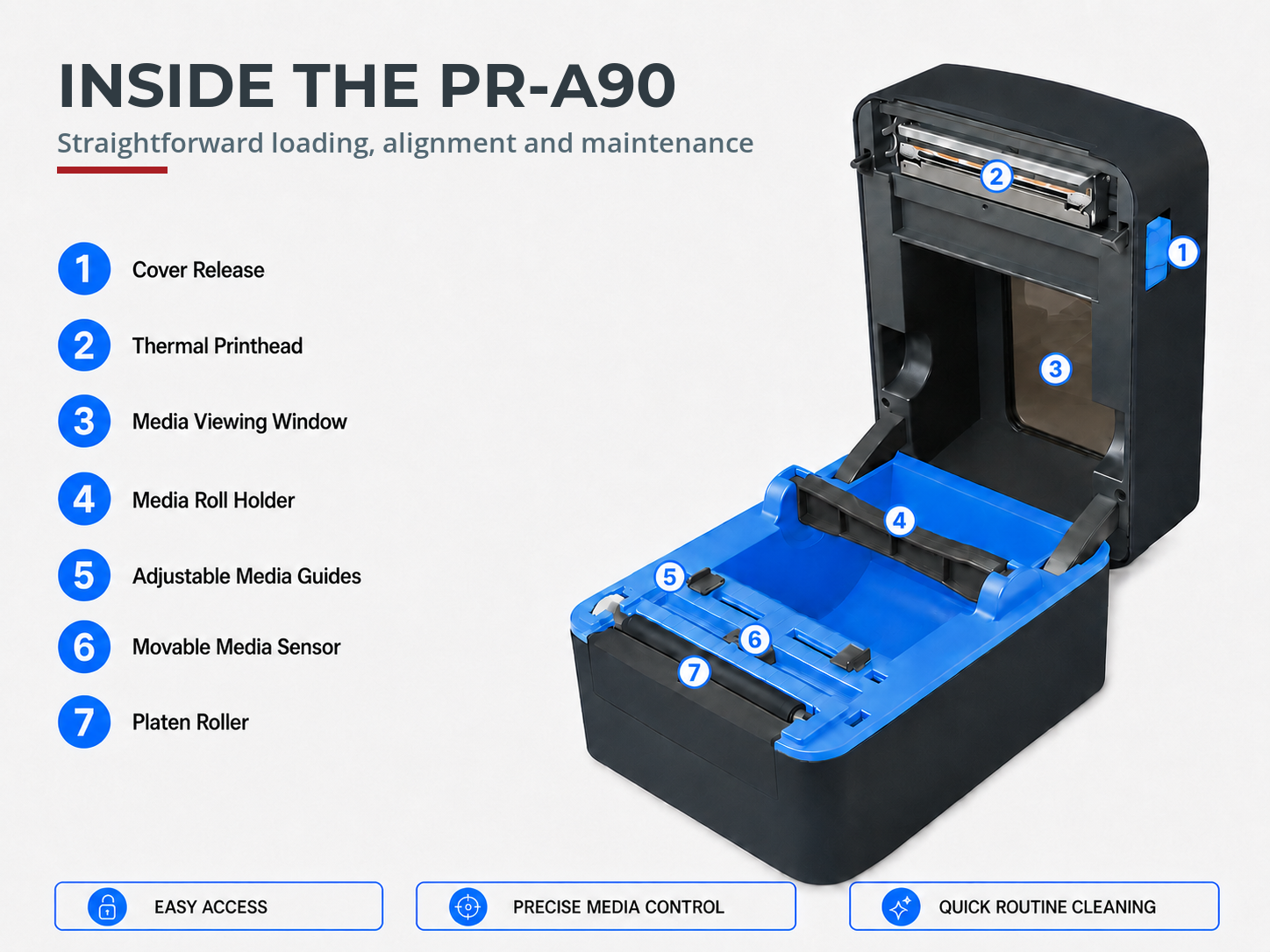
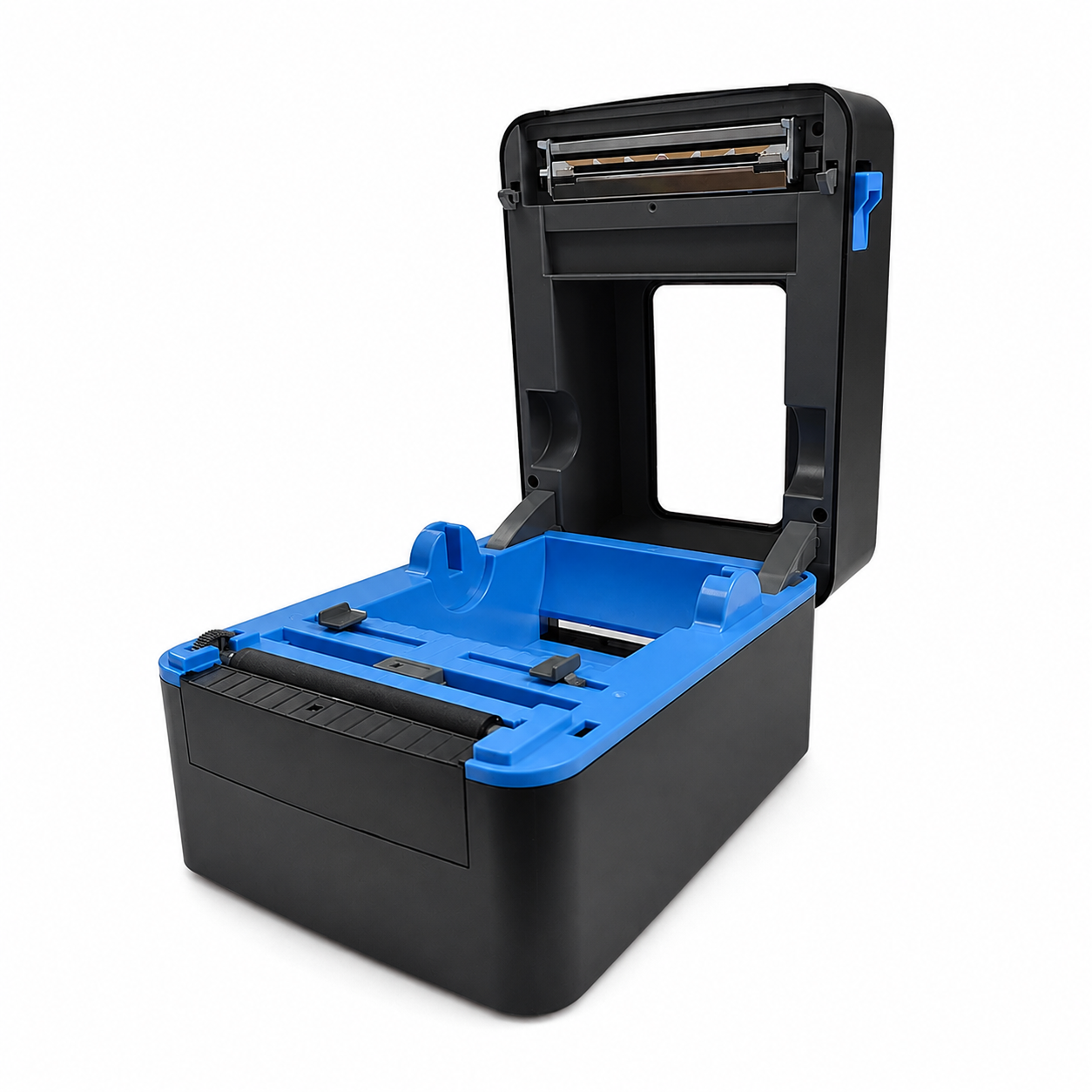
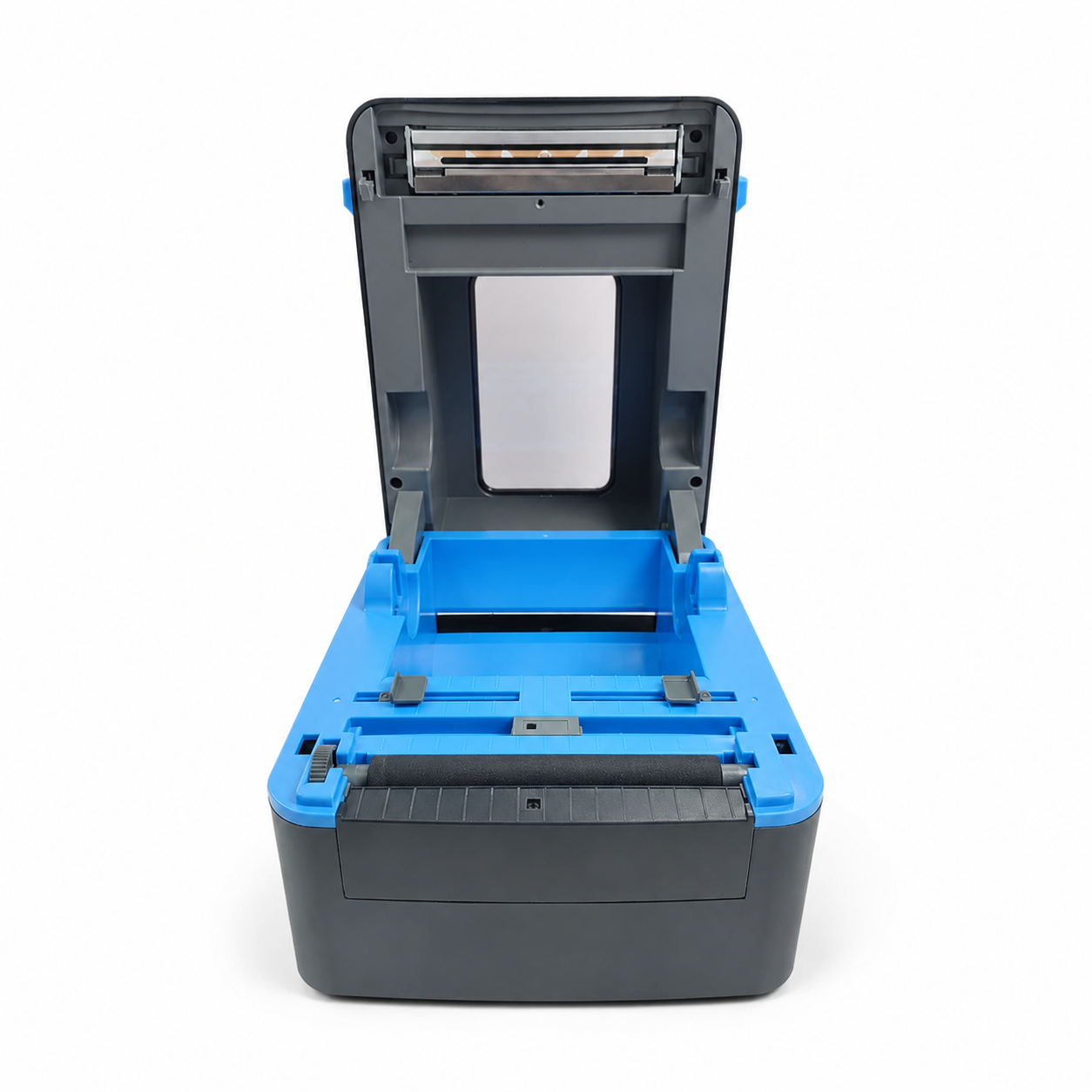
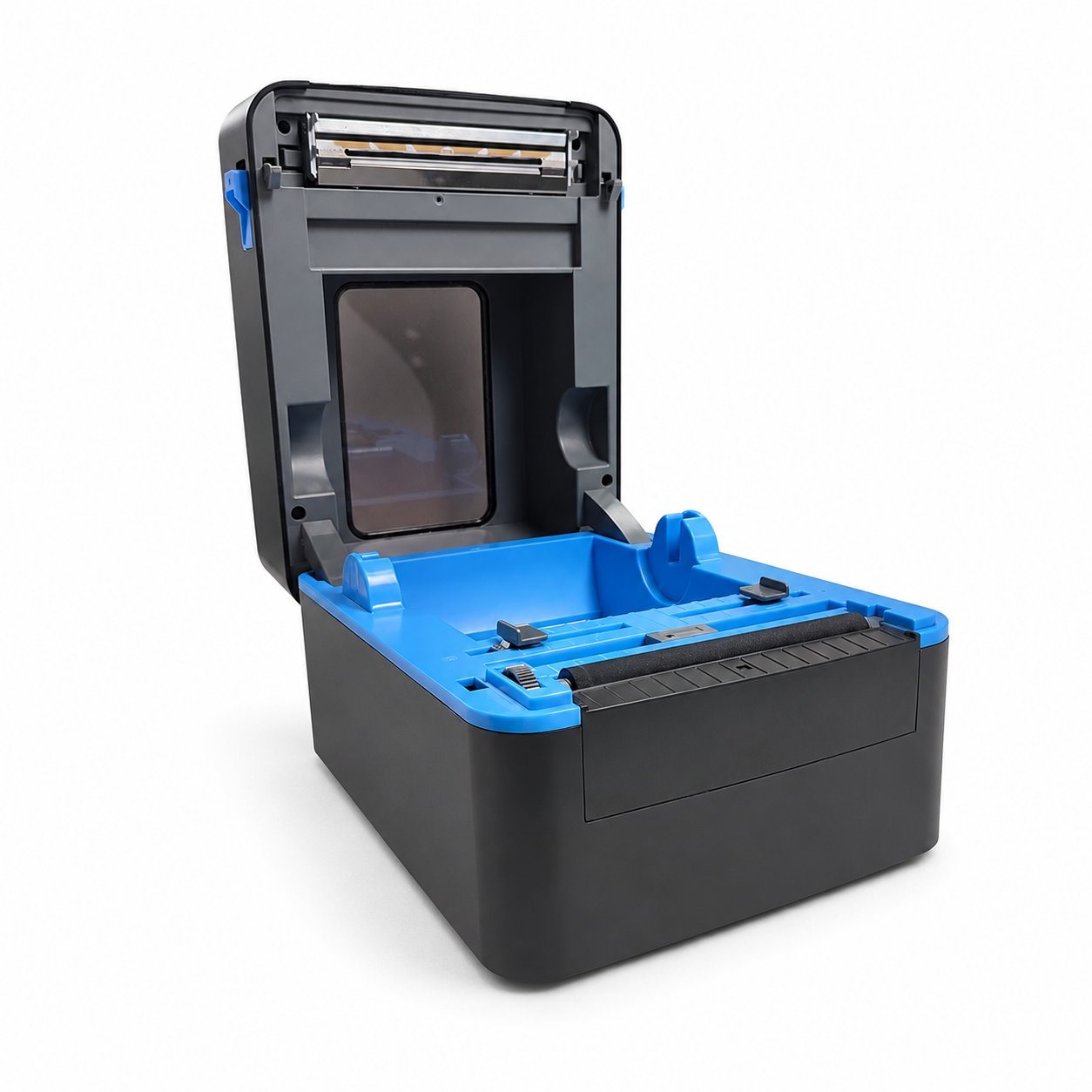
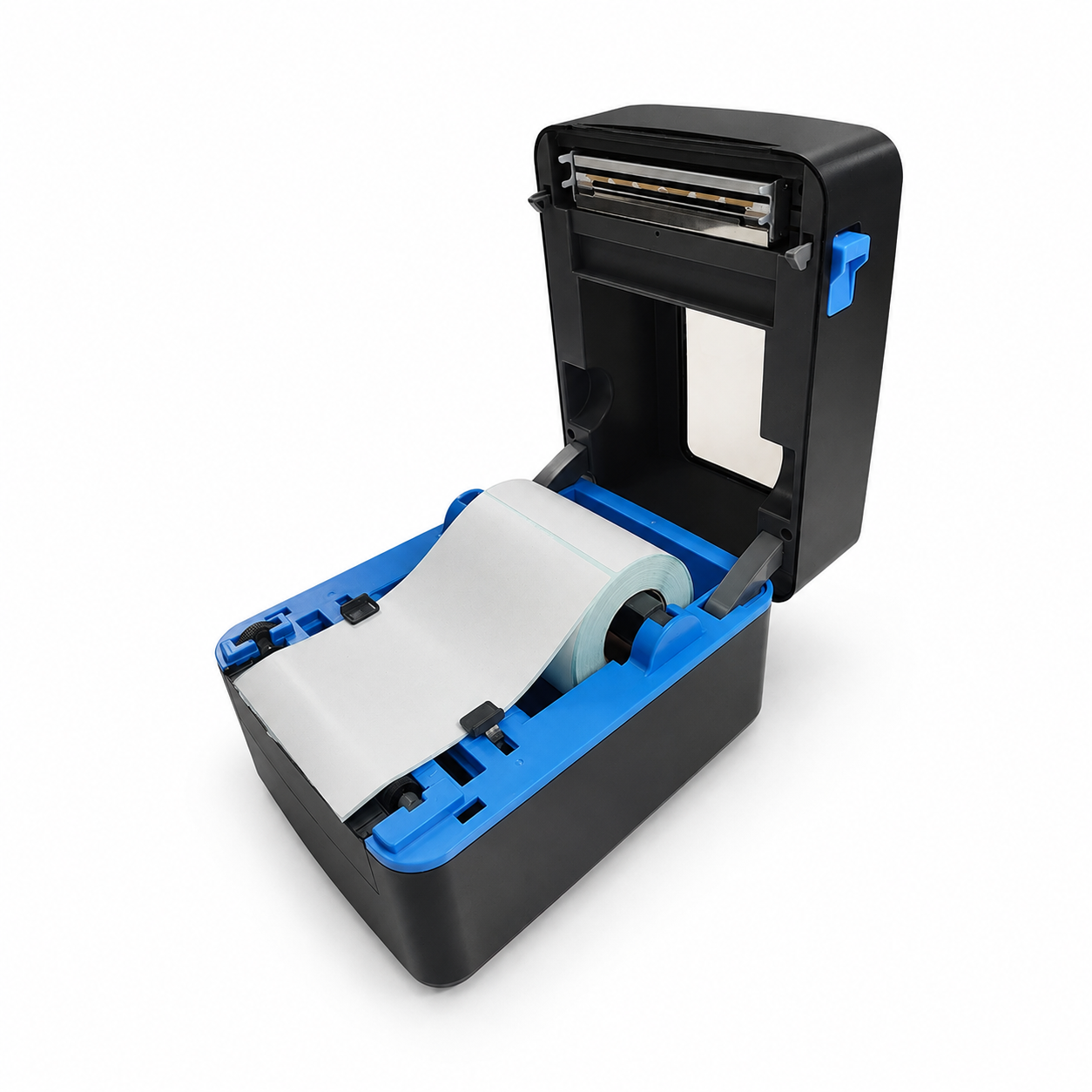
The clamshell housing opens to expose the roll holder, guides, sensing area, platen roller and printhead. That access simplifies roll changes, media alignment and routine cleaning.
For repeatable output, operators should use qualified media, keep the sensing and print areas clean, and follow the approved loading sequence for the final production configuration.
Supported Arlyn choices
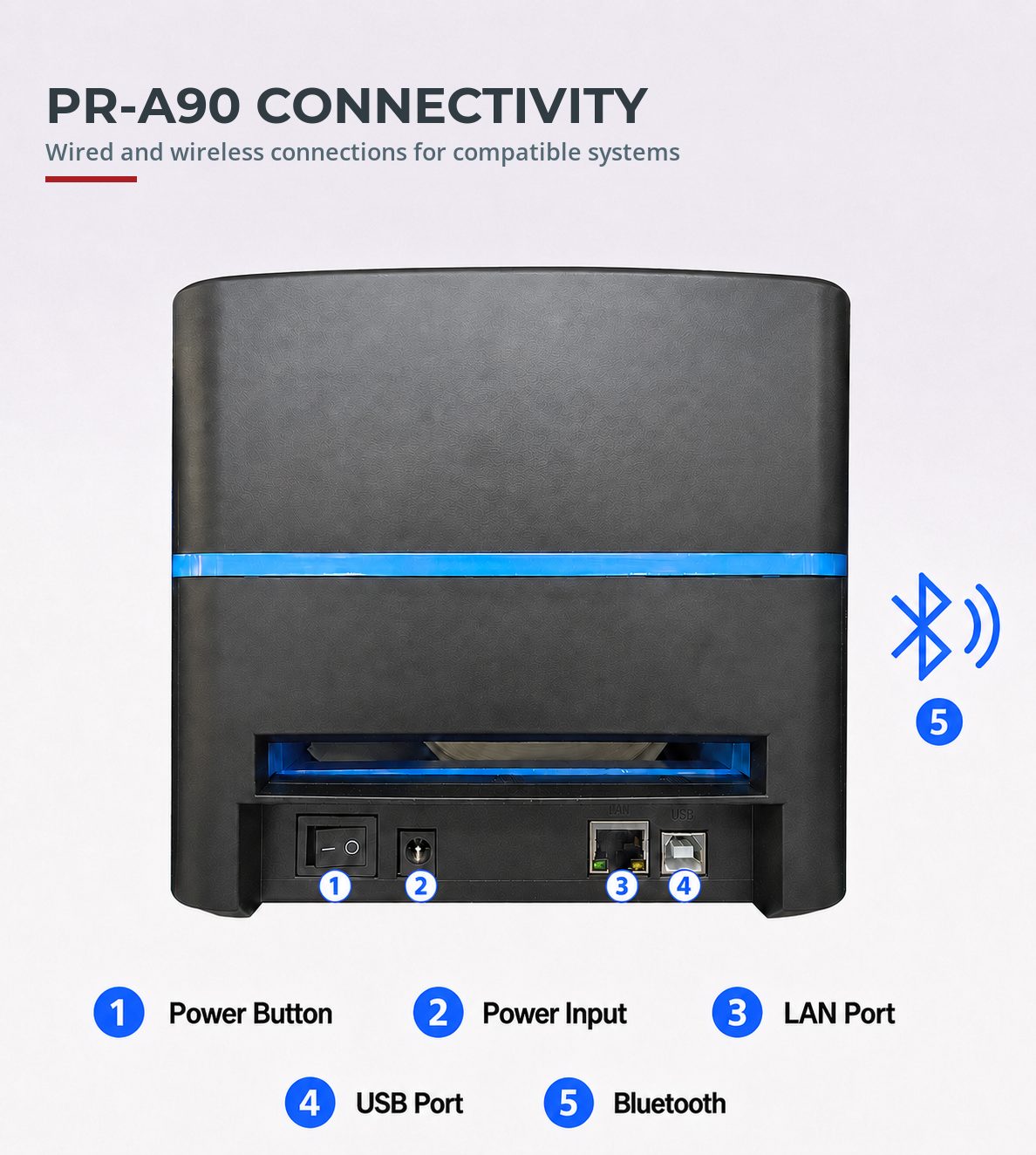
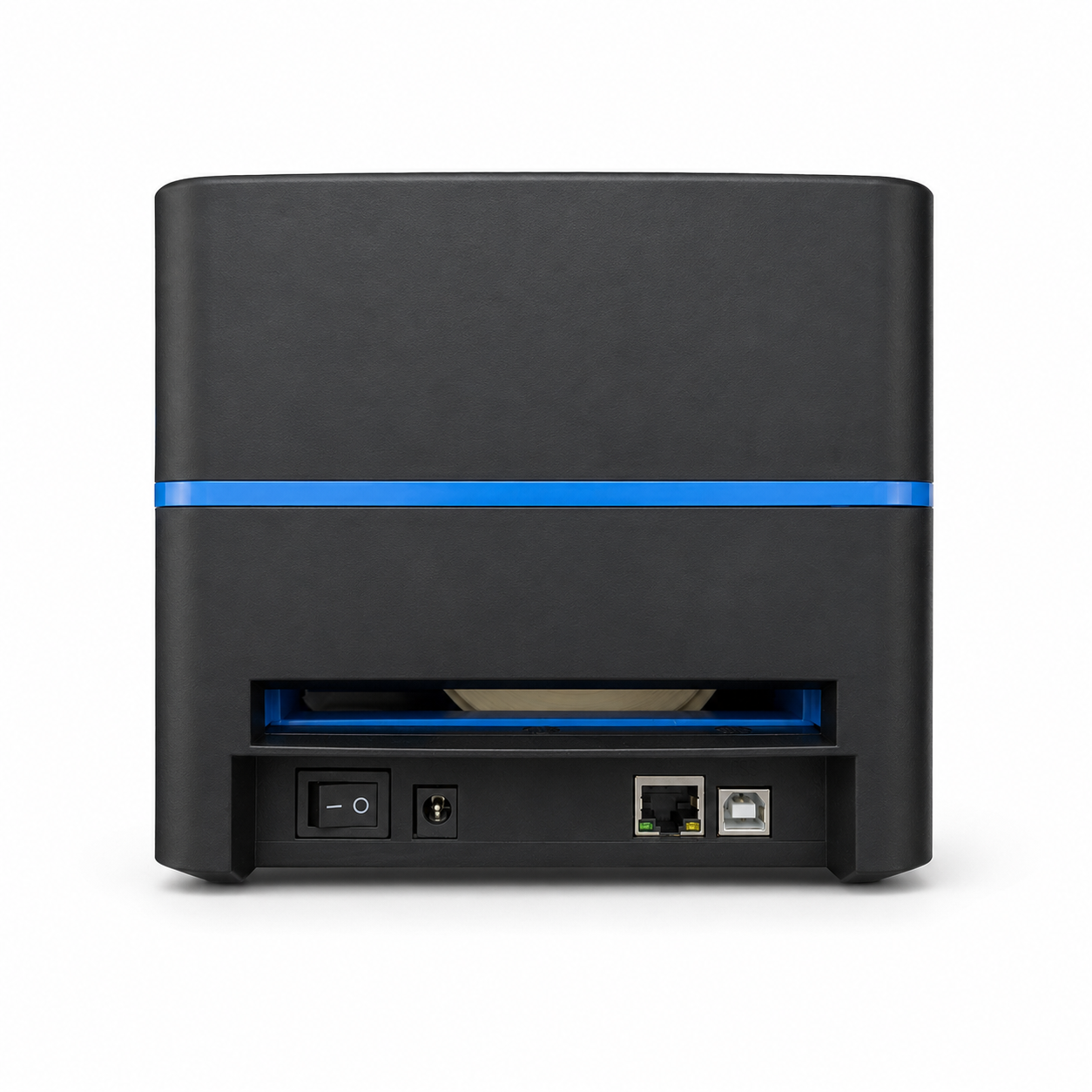
The current Arlyn configuration lists separate USB and Bluetooth choices for supported UpScale installations. Select the connection during scale configuration so the printer, indicator and print function are specified together.
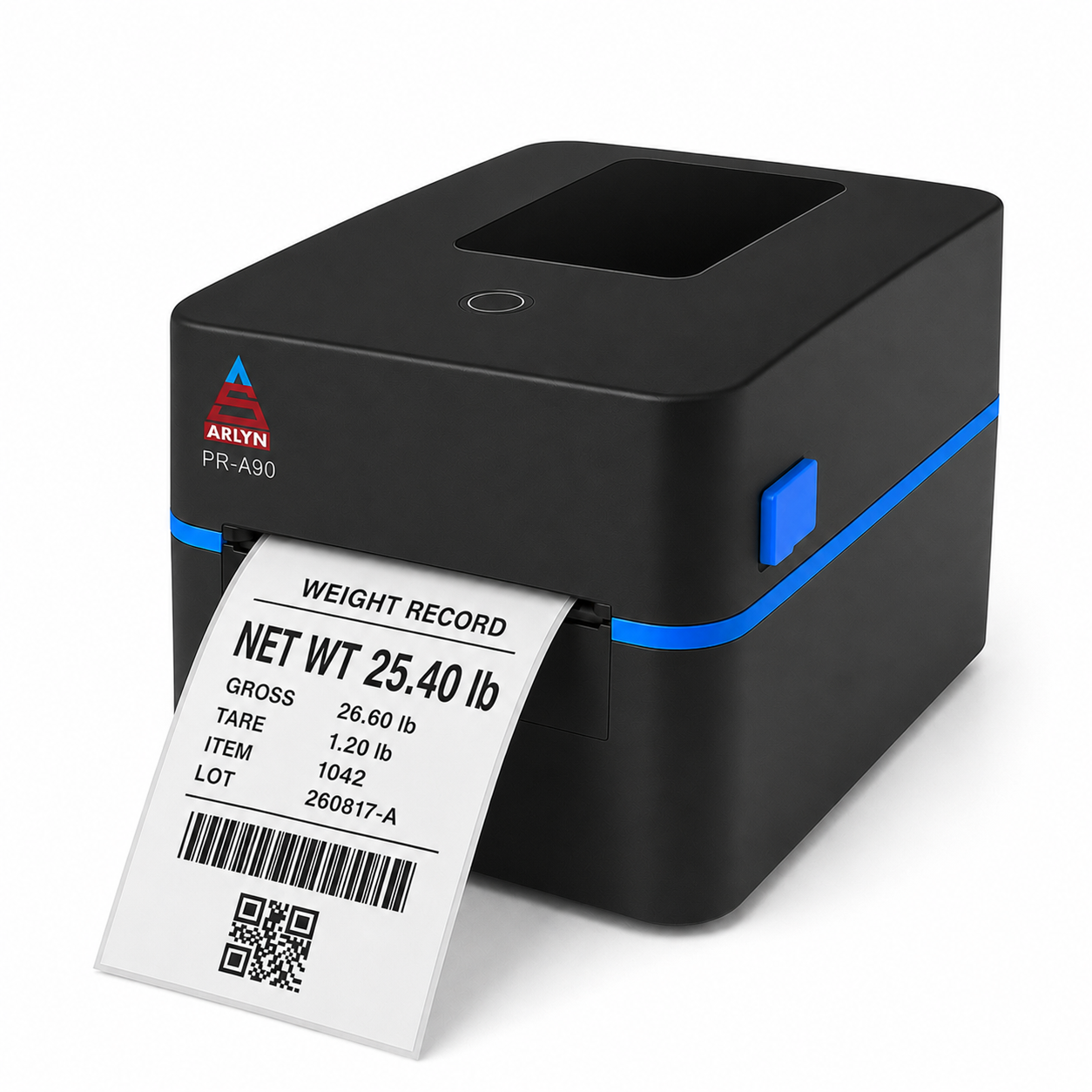
A validated custom template can combine the measured result with the operational fields selected for each application.
Exact printable variables, code format, data structure and label template must be confirmed for the intended UpScale workflow before deployment.
Product gallery
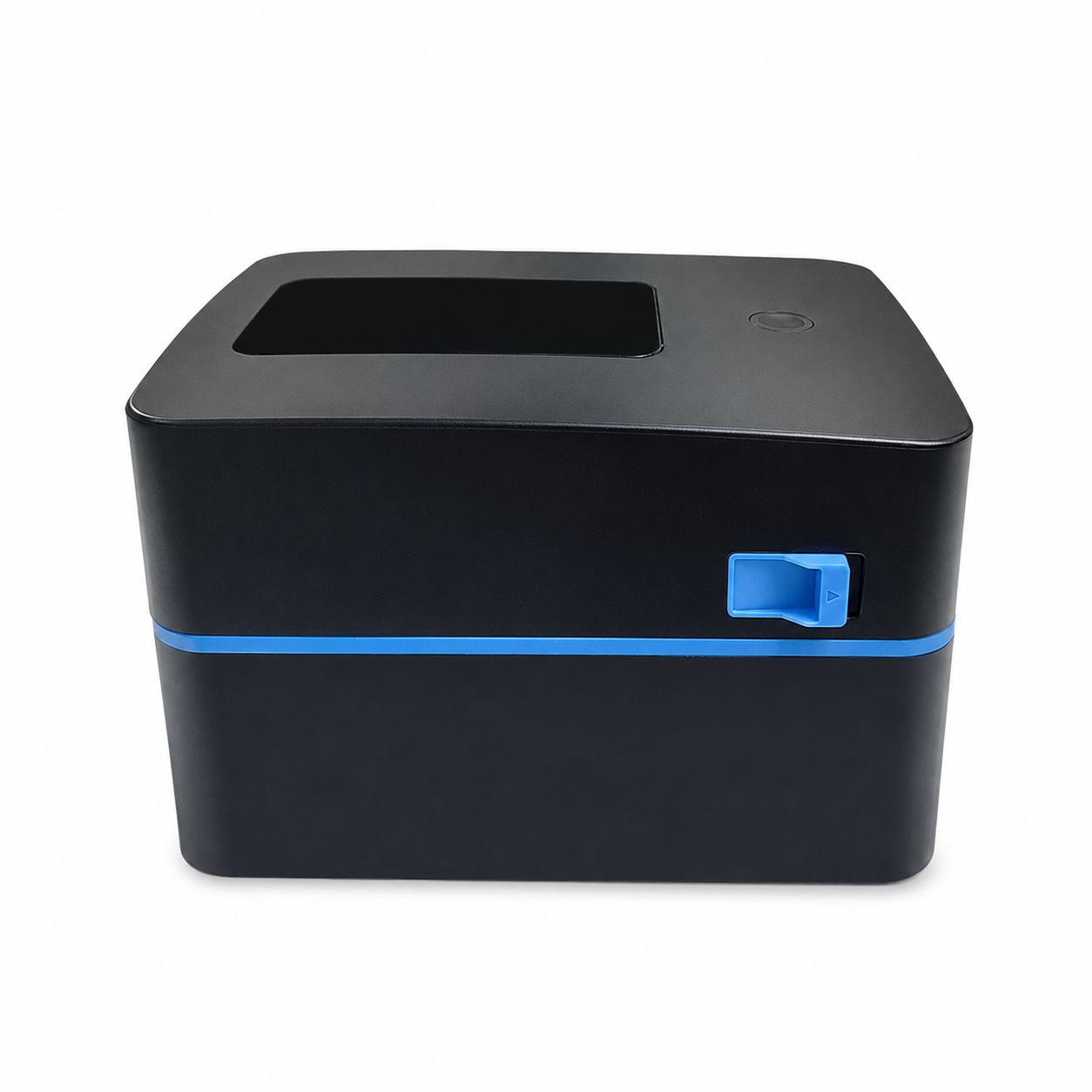
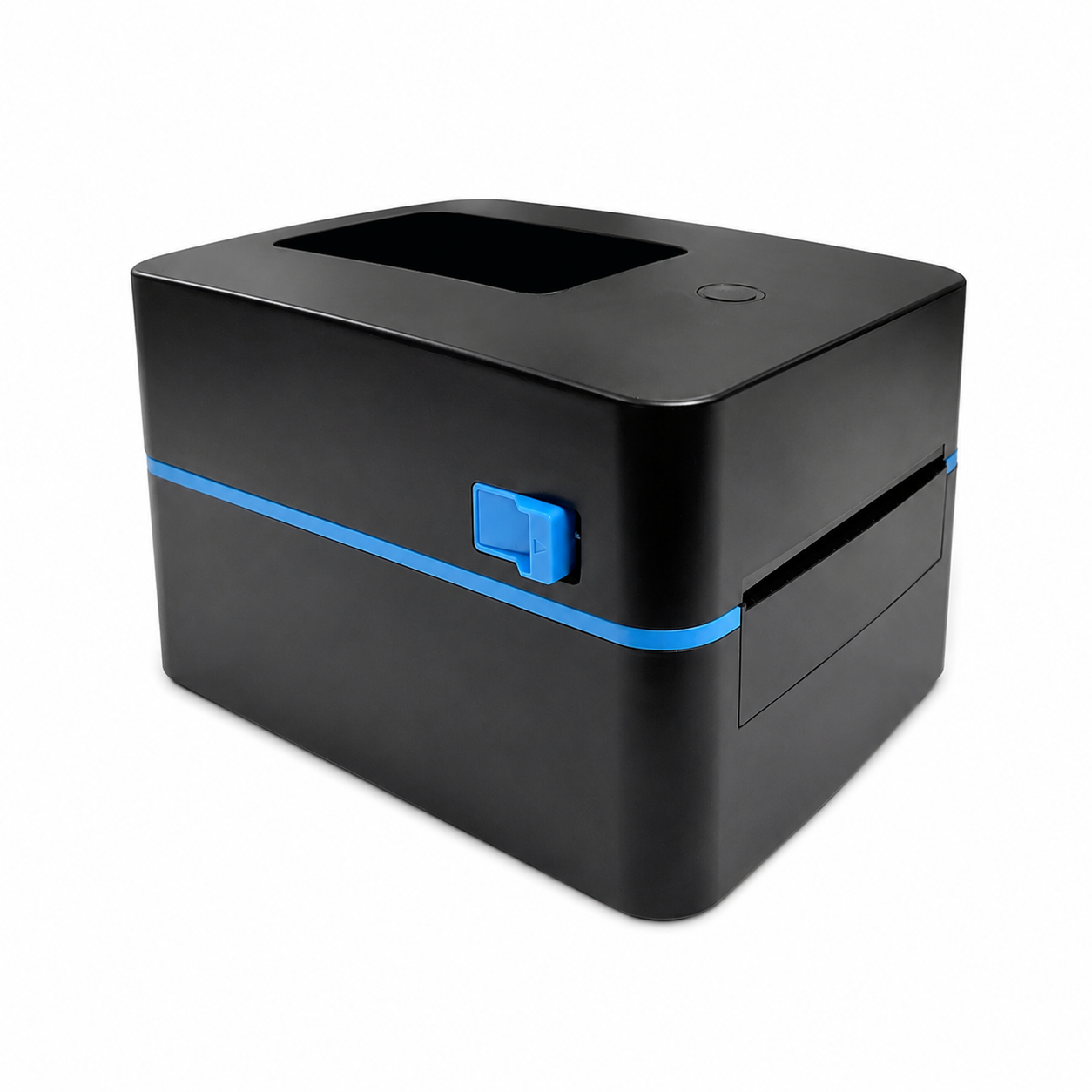
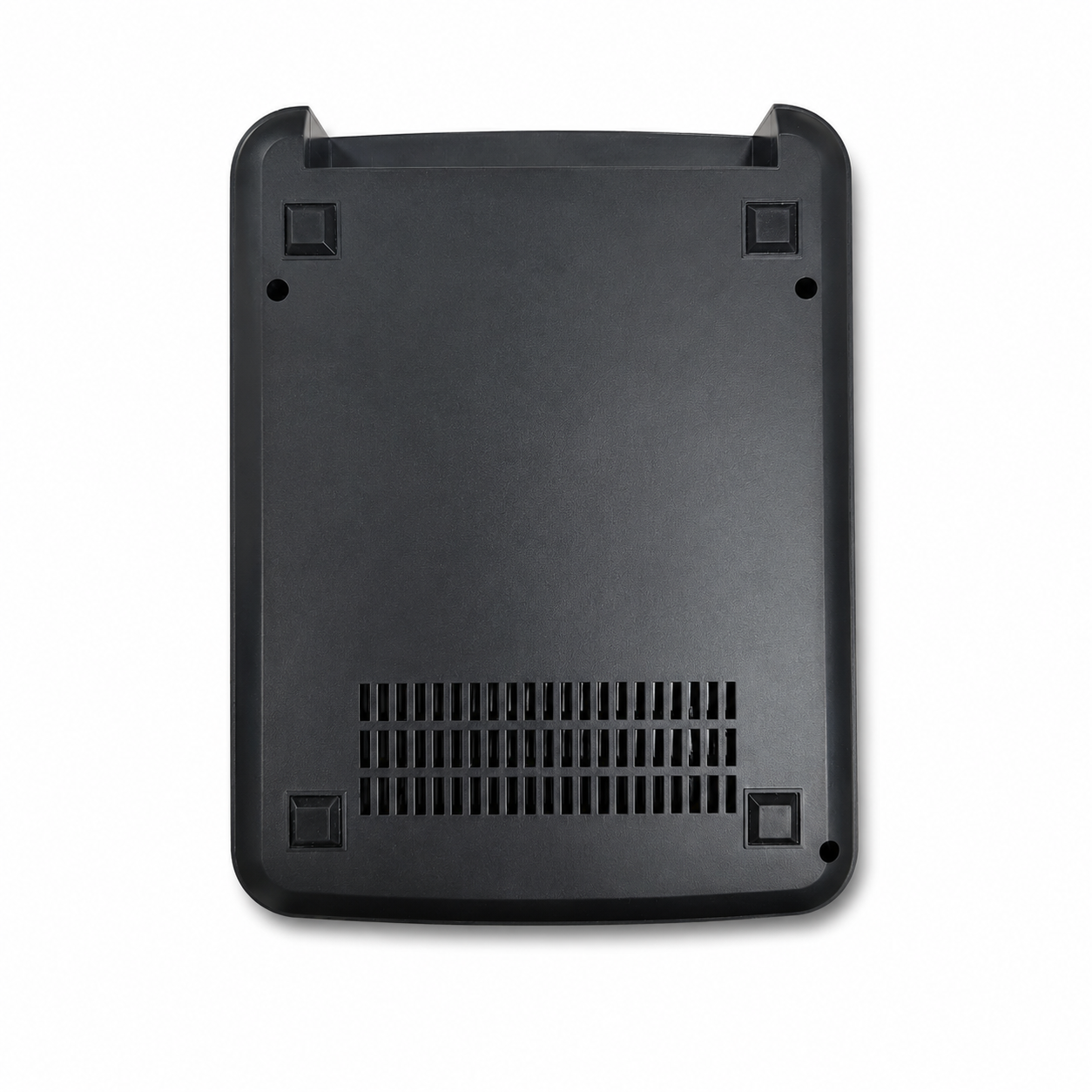
Review the exterior, rear interface, underside, open housing, placement, access and media loading.
Configuration and pricing
Printer hardware and the UpScale barcode/QR function are separate selections so each part of the configuration remains clear.
| Selection | Compatibility | Add-on price | What it covers |
|---|---|---|---|
| PR-A90 Bluetooth | Compatible UpScale configuration | +$350 | Printer hardware and approved wireless connection |
| PR-A90 USB | Compatible UpScale configuration | +$400 | Printer hardware and approved wired connection |
| UpScale Barcode & QR Print Function | Required for the barcode/QR workflow | +$200 | UpScale software function. Separate from printer hardware |
| Arlyn Label Designer Suite | Custom-label workflow for UpScale | Free | OpenLabel layout design plus planned Arlyn LabelTag mapping. LabelTag remains coming soon |
Prices shown are approved add-on amounts for compatible configurations and may be subject to quote, product compatibility, shipping, tax and current availability.
Core printer parameters for scale and workstation planning.
| Printing method | Direct thermal |
|---|---|
| Ink or ribbon | None. Uses qualified direct thermal media. |
| Resolution | 203 dpi |
| Listed maximum print speed | 152 mm/s (6 in/s) |
| Maximum print width | 108 mm (4.25 in) |
| Supported media width | 20–118 mm (0.79–4.65 in) |
| Listed label length | 25–250 mm (0.98–9.84 in) |
| Media thickness | 0.06–0.22 mm |
| Roll capacity | Up to 127 mm (5 in) outer diameter, outside wound |
| Media sensing | Gap and black-mark detection |
| Arlyn connection choices | USB or Bluetooth, selected with a compatible UpScale configuration |
| Printer dimensions | 232 × 180 × 152 mm (L × W × H) |
| Net printer weight | 1.36 kg (3.0 lb) |
Build the whole workstation correctly
Tell Arlyn what you weigh, what the label must contain and where it goes next. The team can specify the compatible scale, UpScale, connection, print function and label workflow as one configuration.
Copyright © 2007-2026 Circuits & Systems Inc. Arlyn Scales. All Rights Reserved.